How to start amazon affiliate marketing using wordpress
Updated on 15 Febuary 2026 · DealsConverter Editorial Team
A Complete Guide for Amazon Affiliate Marketing using wordpress

wordpress is popular blogging platform, offers a powerful wordpress API that allows developers to programmatically manage blogs, posts, pages, comments, and more. This API can be extremely useful for automating content posting, integrating with other tools, or building custom blogging solutions. In this article, we will explore the wordpress posting in detail, covering setup, authentication, and Autoposting deals using dealsconverter.in
STEP 1: Connecting your wordpress website with Dealsconverter.in
1. Login to you wordpress account.
2. Goto Users and click on Add User .
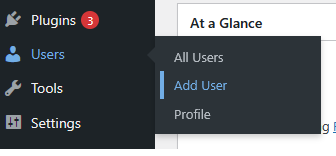
3. Fill ALL the information and click on ADD USER.
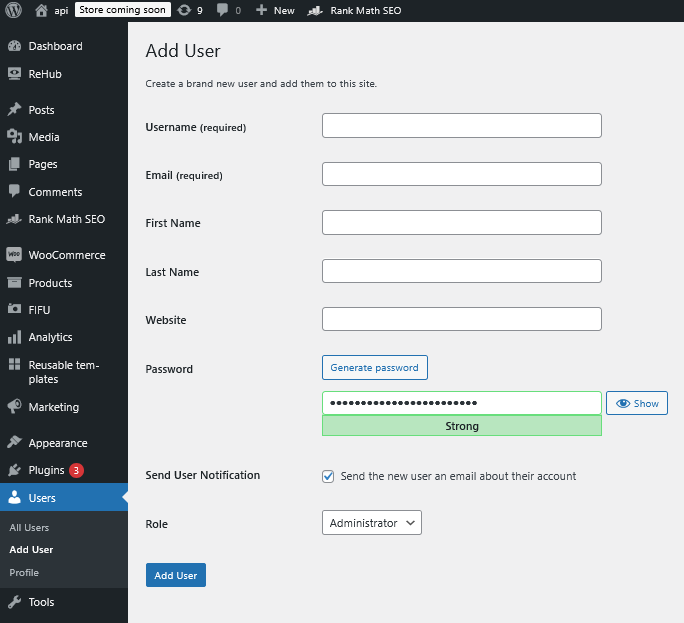
4. visit dealsconverter wordpress (https://dealsconverter.in/wordpress.php) account and fill that newly created user details.
- a. Website URL: https://yourwebsite.com
- b. Username:
- c. Password:
5. Now click on the Button of Enable Wordpress Posting.
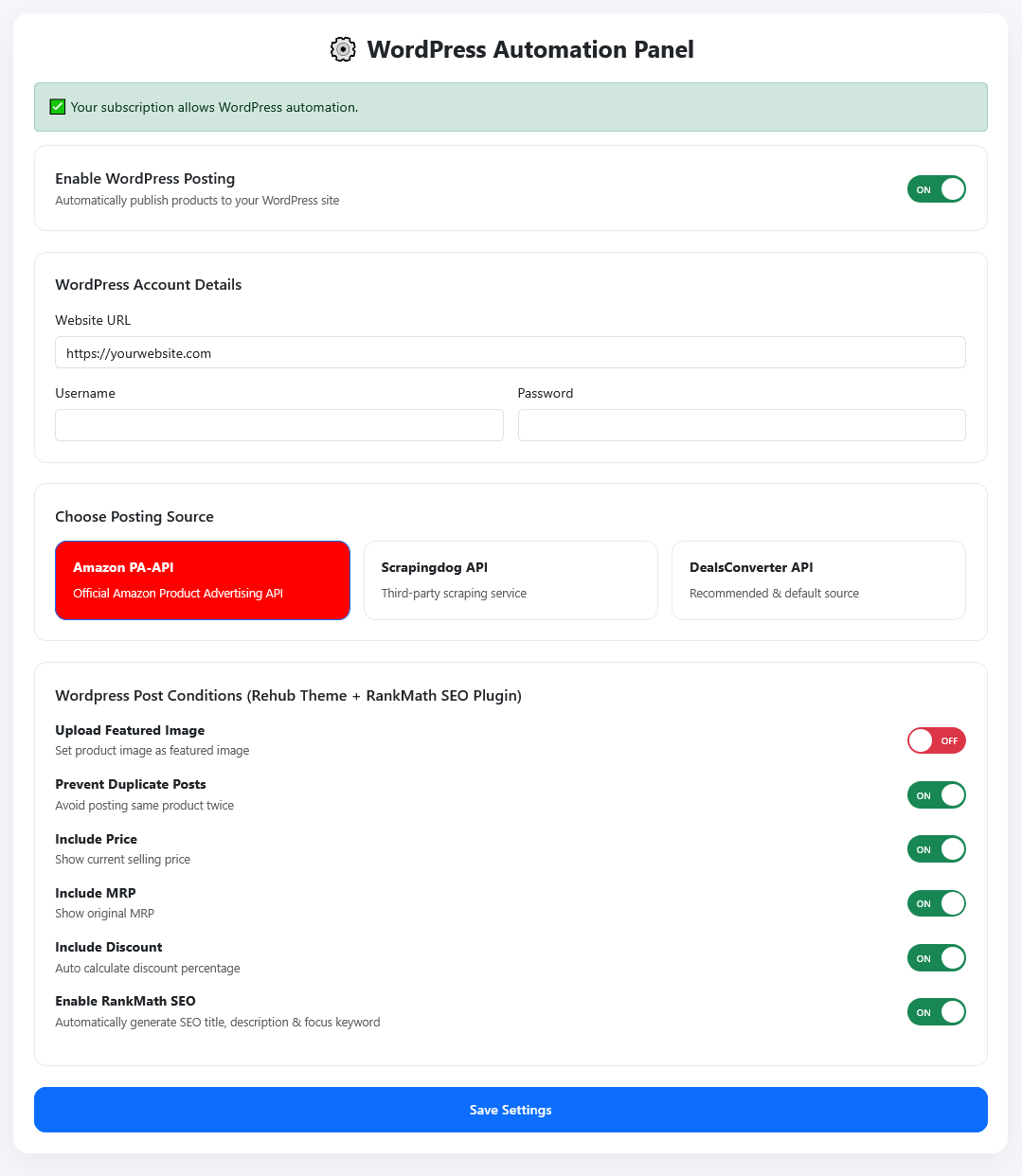
6. Now Choose Posting Source as per your requirement, we have 3 option to choose
- a. Amazon official PA-API key
- b. ScrapingDog api
- c. Dealsconverter API
for example i have Amazon PA-Api keys , so i choose amazon for getting product details.
7. Now set your Preference of Wordpress Post Conditions (what you need in post content)
- a. Upload Featured Image
- b. Prevent Duplicate Posts
- c. Include Price
- d. Include MRP
- e. Include Discount
- f. Enable RankMath SEO
8. Now click on Save Setting.
You have successfully added your wordpress account details.
STEP 2: since we have chosen Amazon PA-API Keys for getting products details.
- 1. You need to save the Amazon PA-Api keys by visiting this https://dealsconverter.in/amazonapi.php
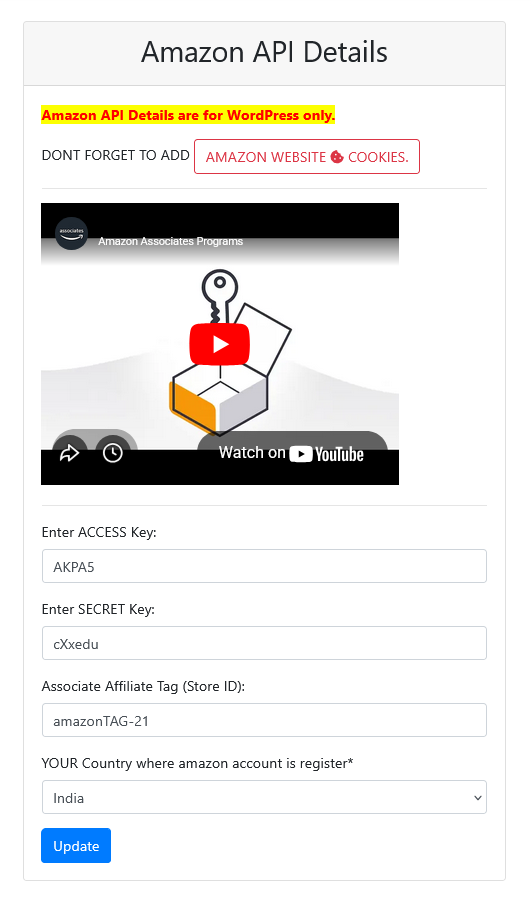
2. Supposed if you have choosen ScrapingDog API,
- a. Then visit https://api.scrapingdog.com/register and create a new account.
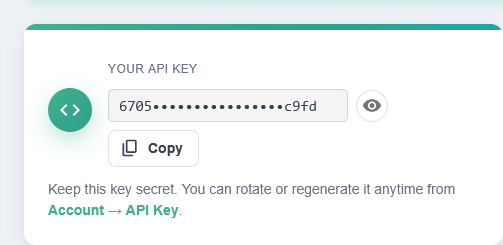
- b. now visit this page https://api.scrapingdog.com/account-info and click on API-Key TAB & get the API Keys.

- c. visit https://dealsconverter.in/scrappingdogapi.php and ADD your Api key.
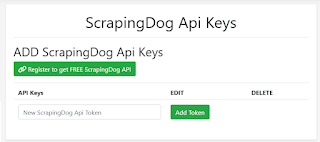
3. Supposed if you want Dealsconverter API then Just Choose it and save it.
✔ Upload Featured Image: ADVANCE SETTING FOR WORDPRESS
In step 1 of sl.no. 7, Wordpress Post Conditions for Upload Featured Image
⚠ When enabled, images will be stored on your hosting server.
This may increase disk usage and can slightly affect your WordPress page load speed, especially on hosting plans with limited storage or bandwidth.
Note: Amazon Affiliate Program policies do not allow storing or permanently saving product images on your own hosting. Product images should be served directly from Amazon’s servers.
so due to this reason you have to DISABLE (OFF) Upload Featured Image.
THEN HOW TO SHOW FEATURED IMAGE?
DON'T WORRY , Dealsconverter will not let you down, we have a solution for everything
follow these steps to show Featured Image.
1. Login to your wordpress account and INSTALL THIS PLUGIN.
- a. PLUGIN NAME: Featured Image from URL (FIFU)
- b. PLUGIN Download link
- c. ACTIVATE the plugin
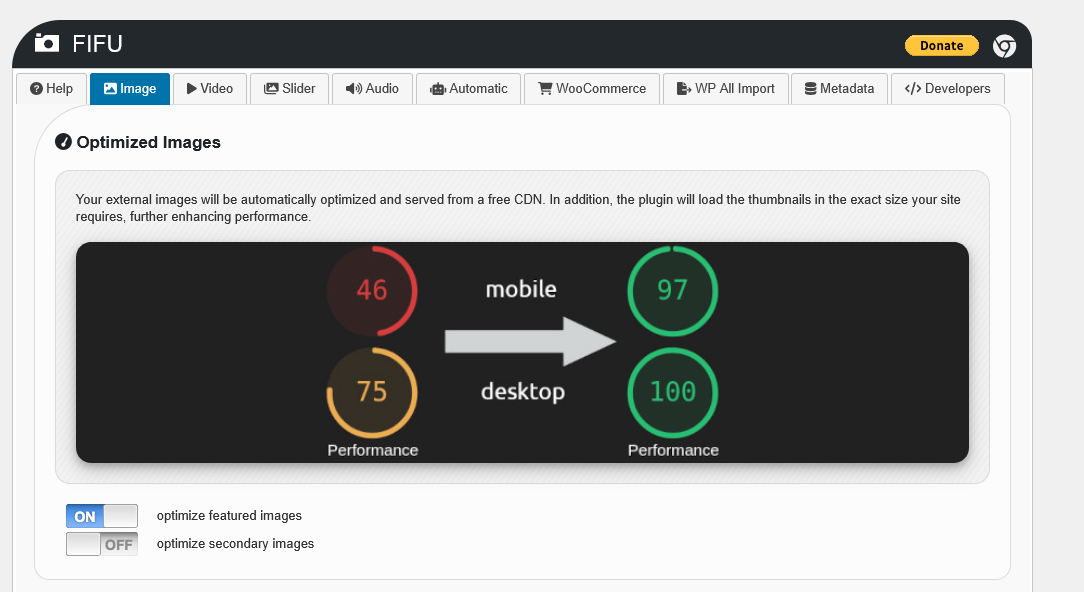
2. Under IMAGE TAB - ON the optimize featured images
3. Under AUTOMATIC TAB - ON these 2 option.
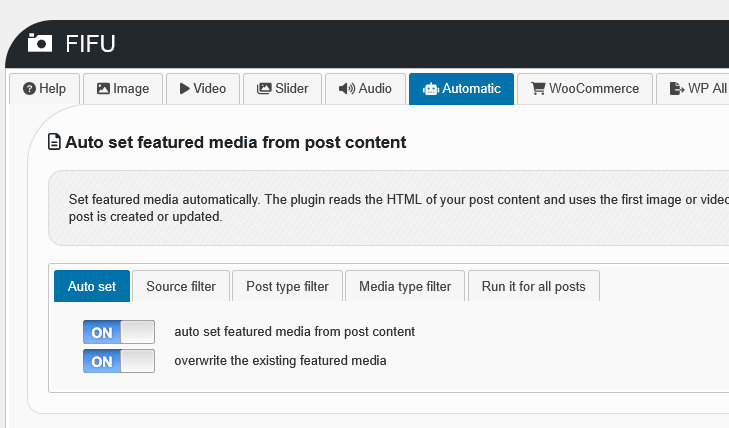
💡 If you are using the FIFU (Featured Image from URL) plugin, you do not need to store images on your hosting server. FIFU automatically sets the featured image directly from the image URL inside the WordPress post content. This helps reduce hosting storage usage and keeps your hosting lightweight and your WordPress page will load very fast and its obey's all Amazon compliance using Amazon image URL directly.
✔ REHUB THEME: ADVANCE SETTING FOR WORDPRESS
In step 1 of sl.no. 7, Wordpress Post Conditions for PRICE/MRP/DISCOUNT
If you have Install Rehub Theme then you can SHOW or HIDE PRICE/MRP/DISCOUNT on HOMEPAGE/POST of your website, just choose the on/off button of each price, mrp, discount and click on save.
✔ RankMath SEO Plugin: ADVANCE SETTING FOR WORDPRESS
In step 1 of sl.no. 7, Wordpress Post Conditions for RankMath SEO Plugin
If you have Install RankMath SEO Plugin then you can post SEO CONTENT.
1. goto to theme setting folder (/wp-content/themes/rehub) in your hosting
2. create a file with name rank-math.php
3. open this file (rank-math.php) and paste below code and save this file.
<?php
/**
* Auto set trimmed focus keyword from post title (first 4 words)
*/
function update_focus_keywords() {
$posts = get_posts(array(
'posts_per_page' => -1,
'post_type' => 'post'
));
foreach ($posts as $p) {
$rank_math_keyword = get_post_meta($p->ID, 'rank_math_focus_keyword', true);
if (!$rank_math_keyword) {
$title = strtolower(get_the_title($p->ID));
// take first 4 words
$words = preg_split('/\s+/', $title);
$trimmed = implode(' ', array_slice($words, 0, 4));
update_post_meta($p->ID, 'rank_math_focus_keyword', $trimmed);
}
}
}
add_action('init', 'update_focus_keywords');
✔ AI AUTO-BLOGGING ON WORDPRESS USING REHUB + RankMath SEO Plugin: ADVANCE SETTING FOR WORDPRESS
STEP 1 :
1. Get your OpenAI (ChatGPT) Token/Keys from here: https://platform.openai.com/settings/organization/api-keys/
2. Get your Google (GEMINI) Token/Keys from here: https://ai.google.dev/gemini-api/docs/api-key/
STEP 2 :
1. you need to set your OpenAI (ChatGPT) Token/Keys here: https://dealsconverter.in/chatgptkeys.php
2. you need to set your Google (GEMINI) Token/Keys here: https://dealsconverter.in/geminikeys.php
STEP 3 :
1. Visit this link https://dealsconverter.in/autoblogging.php
2. Choose your Style Template:
- a. Default Template
- b. Custom Template
- c. AI Generated Template
3.
- a. Amazon official PA-API key
- b. ScrapingDog api
- c. Dealsconverter API
5. click on save.
NOTE: NOW THIS will Automatically generate SEO title, meta description & focus keywords IN YOUR WORDPRESS POST USING AI GENERATED.
Frequently Asked Questions
Q: Do I need a Wordpress account to use the wordpress posting?
Yes — You need Wordpress account to posts on your website.
Q: Can I autopost to Wordpress without PA-API keys?
Yes — DealsConverter supports ScrapingDog API as an alternative to PA-API keys, BUT NOW we have our OWN scrapper "DealsConverter Api", However, PA-API is the official Amazon option for product data. amazon affiliate marketing autopilot, amazon affiliate automation, amazon affiliate autoblog, amazon affiliate autopilot
Keyword Focus Recap
📢 Want to simplify your affiliate workflow?
Sign-up on DealsConverter.in