How To Auto post amazon deals on Telegram Channel:
STEP 1 : let's First Create Telegram Bot Token
1. Open Telegram App → search @BOTFATHER→ Start the @BOTFATHER
2. click on /newbot → now Set a Name for your BOT → now set Username to that bot.
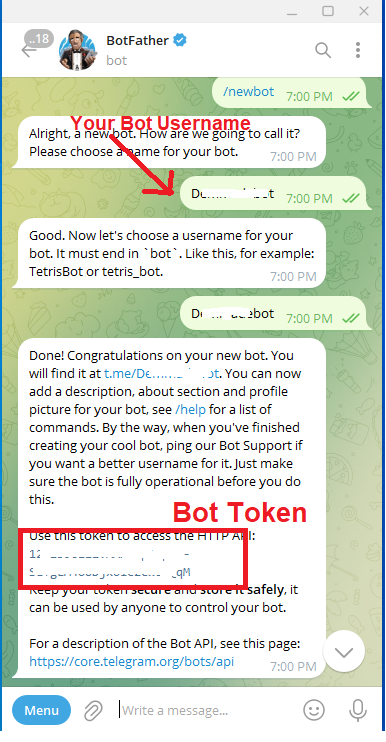
3. You will Get BOT TOKEN and BOT USERNAME
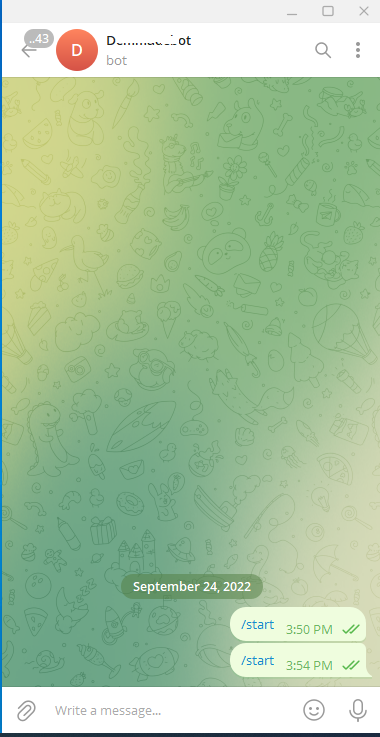
4. Just Open Your Bot and click on START Button to /start this BOT.
STEP 2 : Now Lets Configure this Telegram Bot for posting deals in your Channel/Group
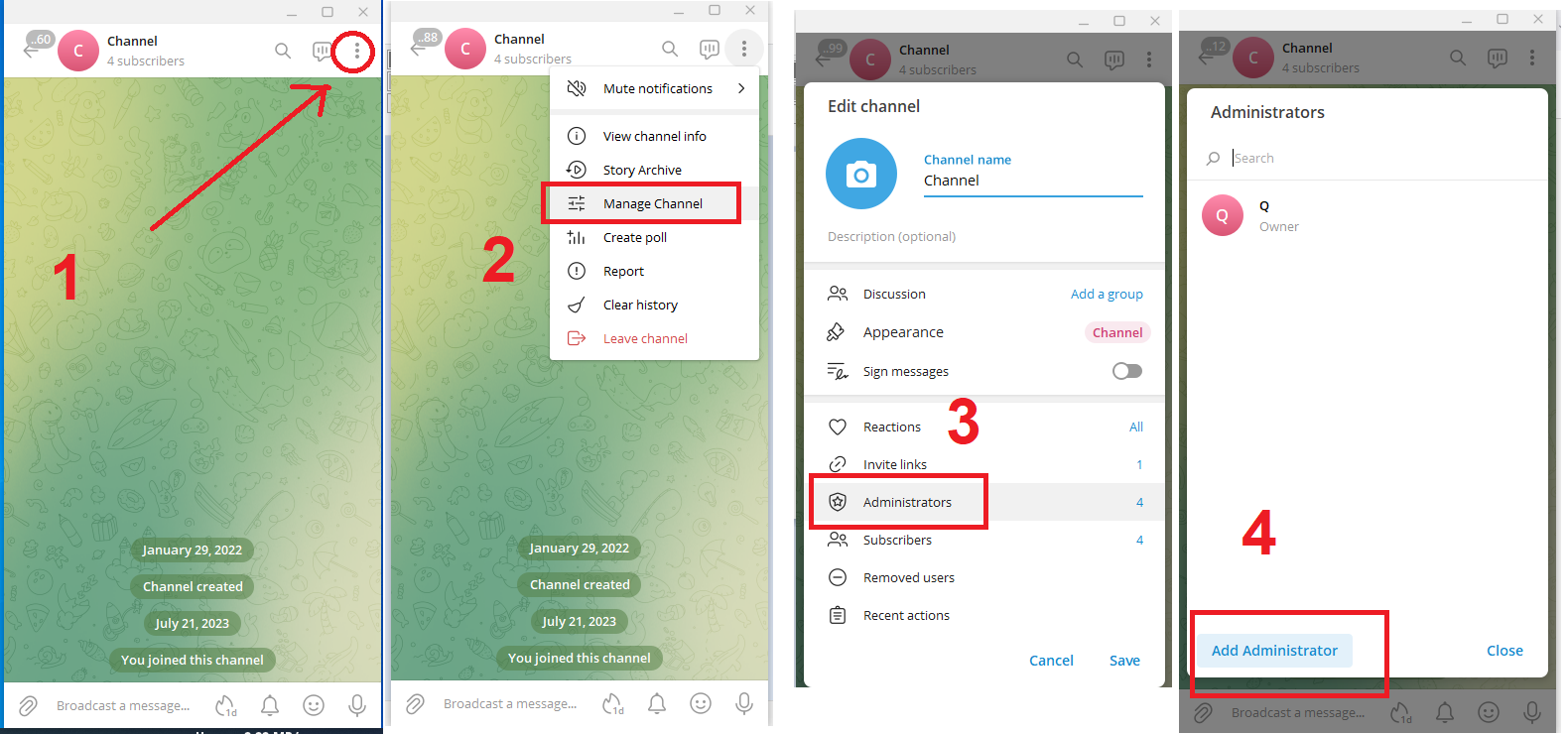
1. Open Your Channel/Groups → goto Setting → ADMINISTRATORS → ADD ADMIN → Enter your BOT username (which was created in STEP 1) in search box.
2. Select your BOT → Give all Admin Rights Permission → SAVE IT.
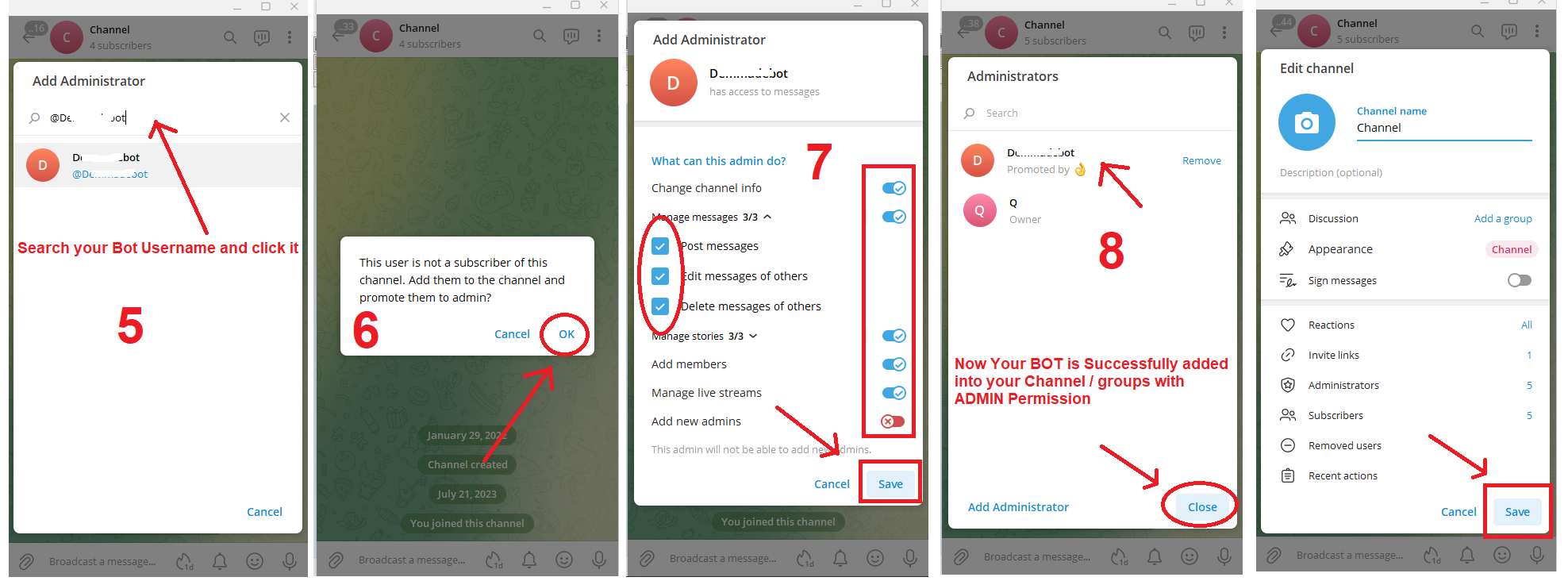
3. Now Just send one HI message in that channels/groups.
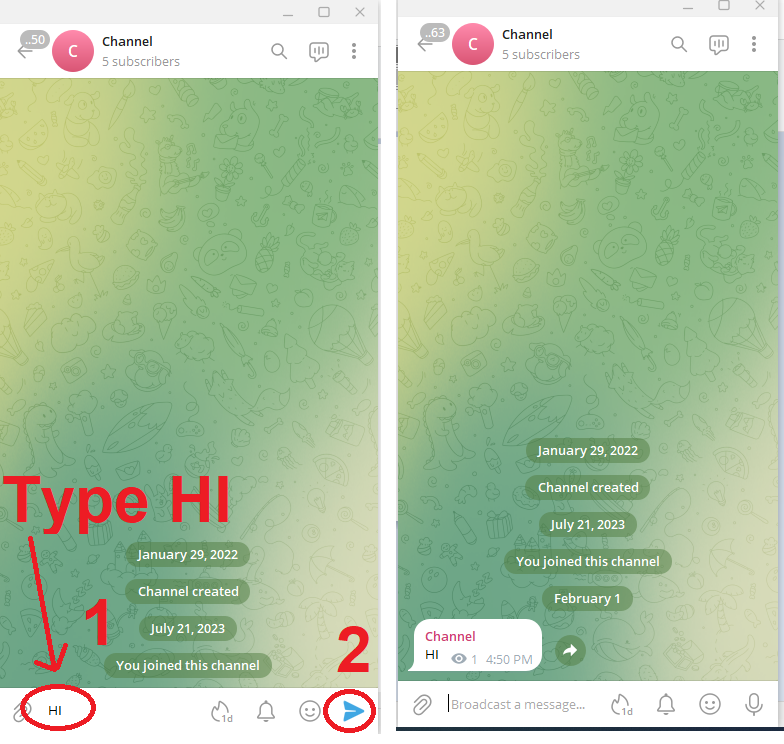
4. Now Get Your CHANNEL/GROUP USERNAME
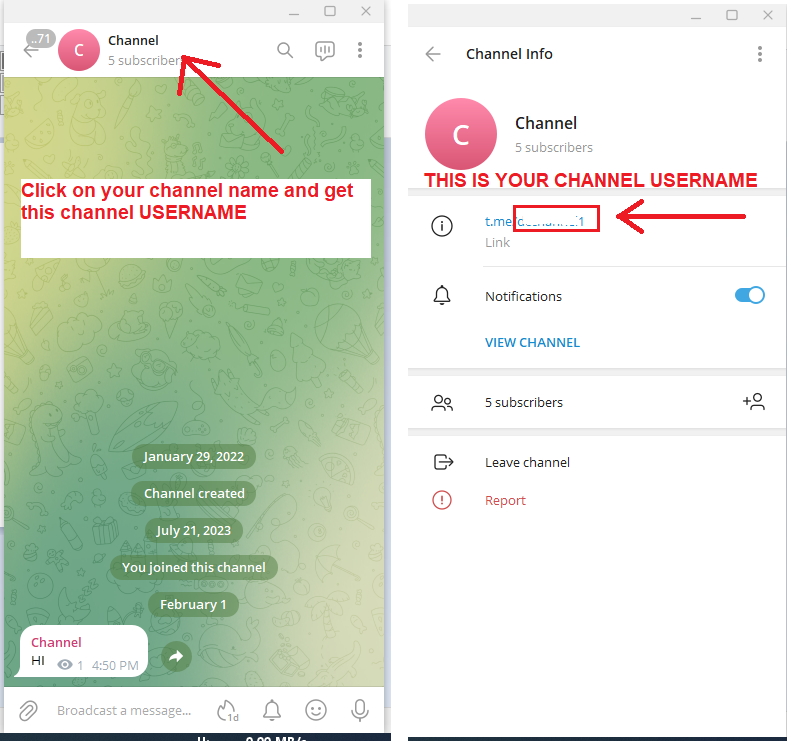
STEP 3 : Now Lets Configure your Channel/Group on this website:
1. Now ENTER Your "TELEGRAM CHANNEL/GROUP USERNAME {NOT BOT USERNAME}" (in which you wanted to post deals VIA BOT) & "BOT TOKEN" (The Bot Token which you Got from @Botfather in STEP 1) On this website by clicking this LINK/Button
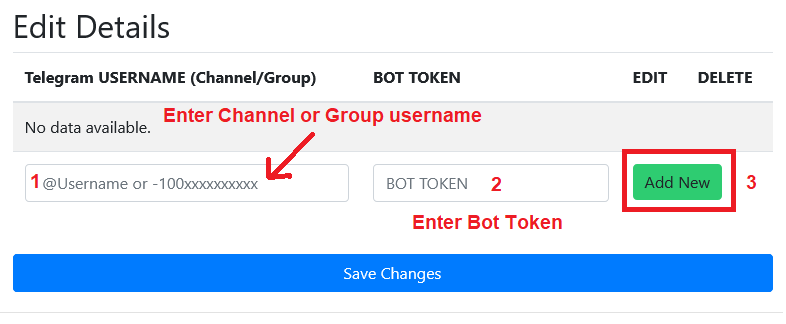
2. After entering Your CHANNEL/GROUP USERNAME & BOT TOKEN CLICK ON ADD NEW / SAVE changes BUTTON
3. Now click this LINK and choose any Converter Bot for converting your affiliate link and posts (Amazon affiliate auto post) in your telegram channel/Group
4. If You done any changes in above Telegram list (Added or Deleted) then do /Logout in Telegram our BOT (in which you are using)and now do /login so that this Telegram Channel/groups lists are added in telegram bot..
Note: TERMS & CONDITON:
1. By giving Access Details of your Telegram account such as Channel/group Ids & BOT Token on our website you are Authorizing our system to send messages to your Page/groups from our system (Only when you want to send messages in your selected Channel/groups.)
2. It is Highly Recommended that you Do Not Send Bulk Messages It is very likely that you will be Banned by the Telegram anti-spam system.
3. We are Not Responsible if your Accounts/Mobile Number is Get Banned from our services on any platform such as Whatsapp/Telegram/Facebook/Twitter.
4. Kindly Check Our PLANS , TERMS & CONDITION BEFORE USING OUR SERVICE.