How to start amazon affiliate marketing using Instagram
Updated on 15 February 2026 · DealsConverter Editorial Team
A Complete Guide for Amazon Affiliate Marketing using Instagram
Instagram, ’s popular social media platform, offers a powerful Instagram API that allows developers/affiliate Marketers to programmatically manage Instagram posts. This API can be extremely useful for automating content posting, integrating with other tools, or building custom affiliate marketing solutions. In this article, we will explore the Instagram API in detail, covering setup, authentication, and Autoposting deals using dealsconverter.in
Prerequisites
- An Instagram Professional Account (Business or Creator).
- A Facebook Page that is linked to your Instagram account.
- A Meta Developer Account and a registered app on the Meta for Developers site.
Watch A video
Step 1: Switch an Instagram Account to Professional Account
- Go to your Instagram account settings: Create a Instagram Account If You Dont Have.
- Tap on the hamburger menu (≡) > Settings
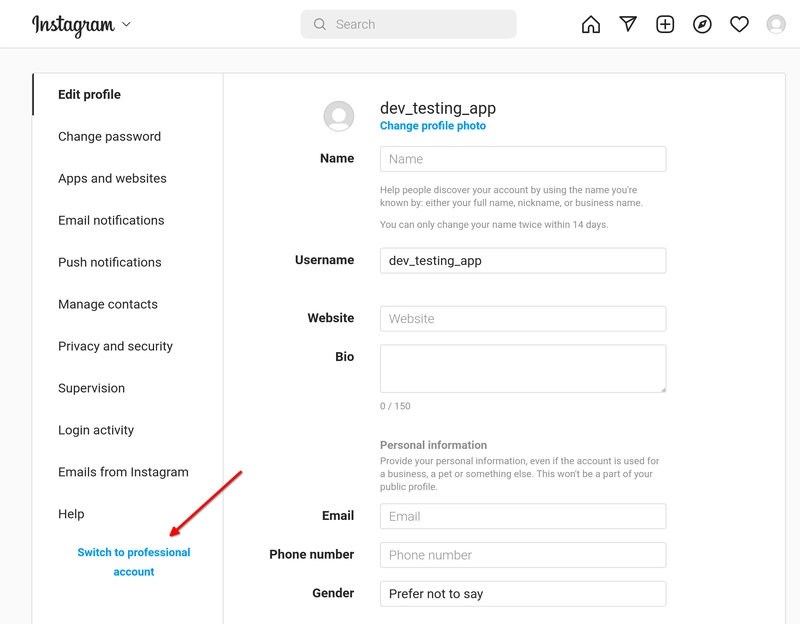
- Tap Account > Switch to Professional Account
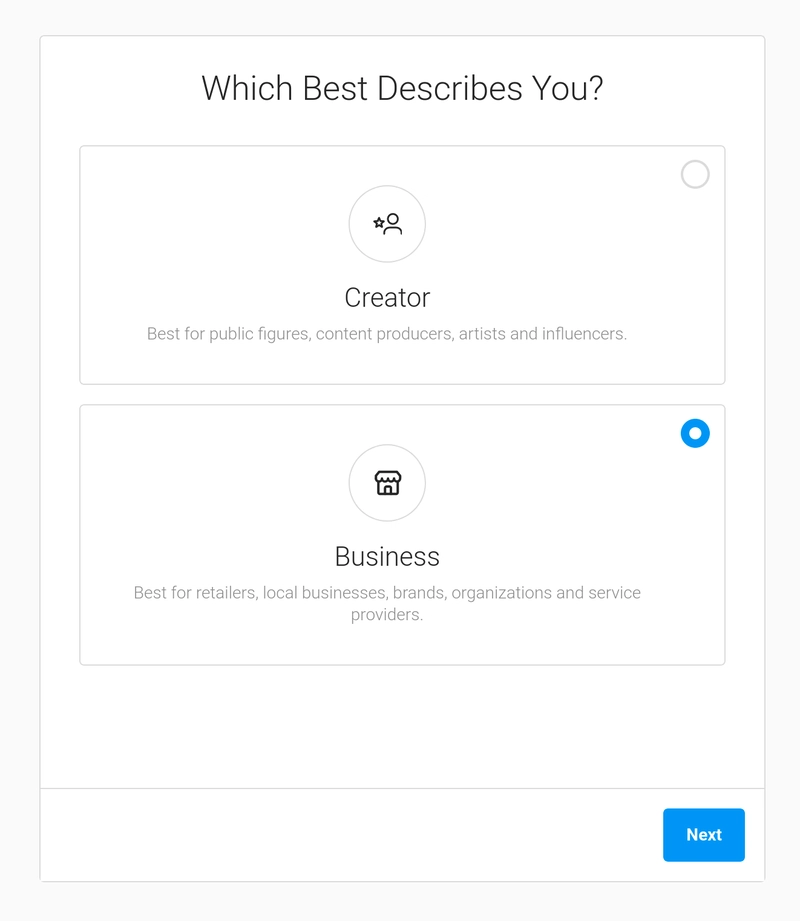
- Choose either the Business or Creator account type.
Step 2: Connect an Instagram Account to Your Facebook page
1 . Link your Instagram account to a Facebook Page: Create a Facebook Page If You Dont Have.
- In Instagram settings, go to Account > Linked Accounts > Facebook
- Select the Facebook Page you want to link
2. Go to your Facebook page's settings. On “Professional dashboard” select “Linked Accounts” and you should see a button to “Connect account” from Instagram.
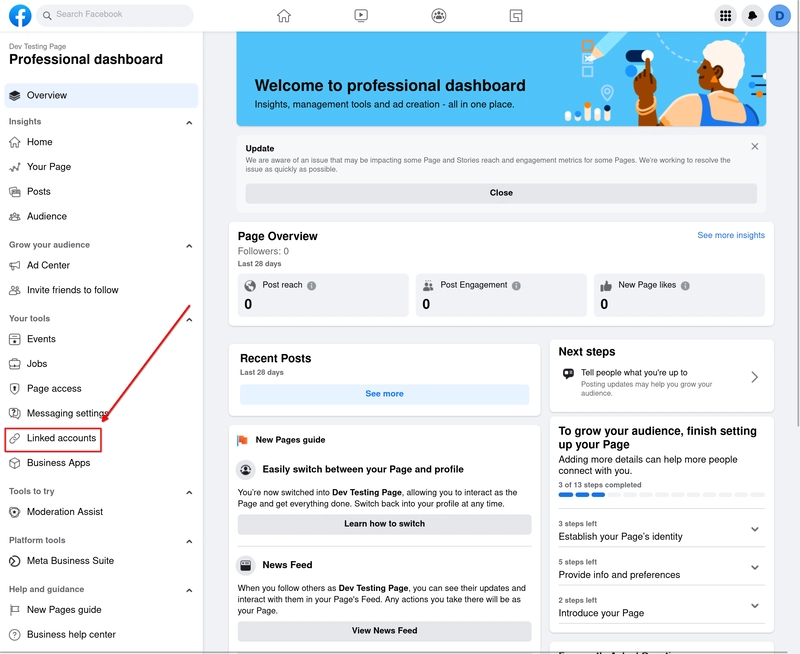
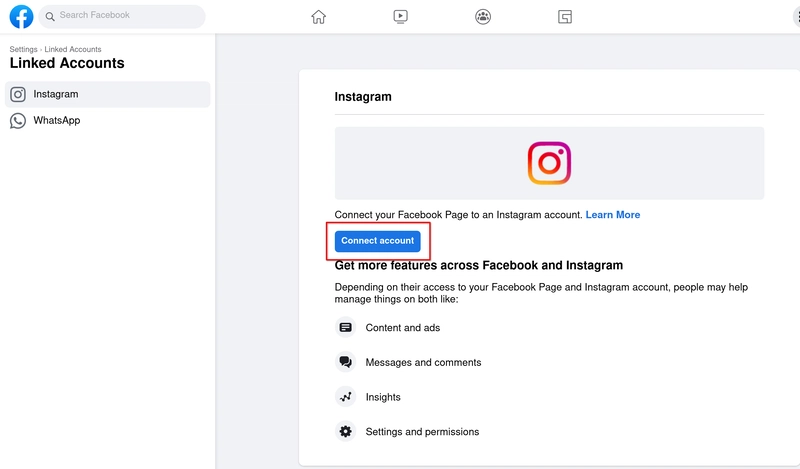
This will show you a pop-up to enter Instagram credentials, and once you log in, you should see a success message.
Step 3: Set up a Facebook Developer Account and Create an App
The first step is to create an App in the Facebook Developers Console and get an Access Token.
1. First of all go to Facebook Developers and sign in with your account.
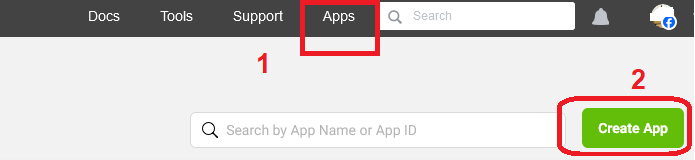
2. After login click on My Apps and click on Create APP
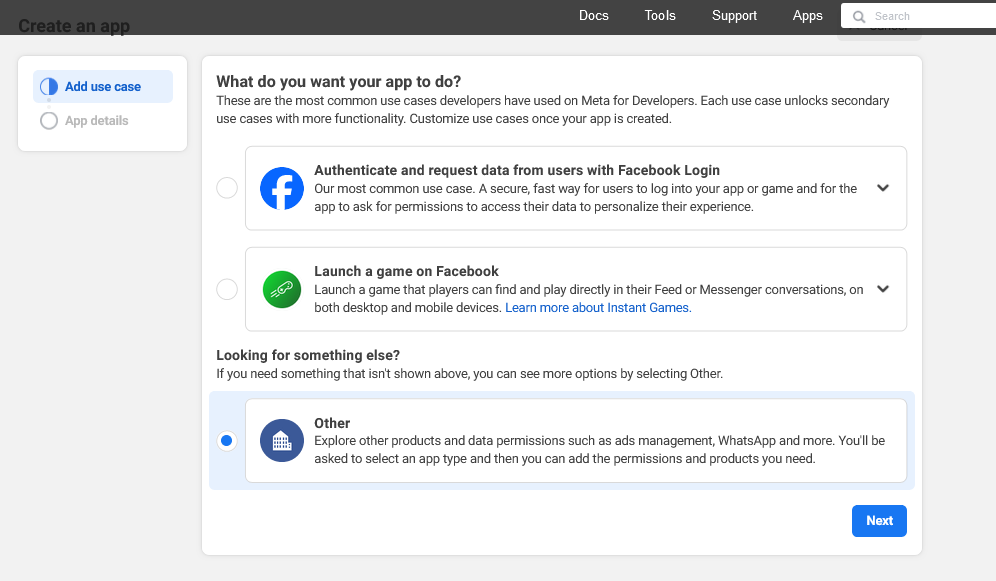
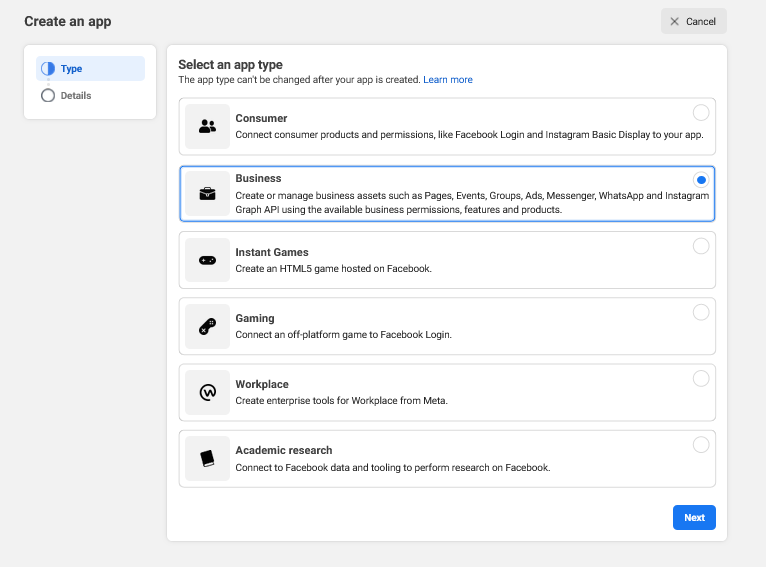
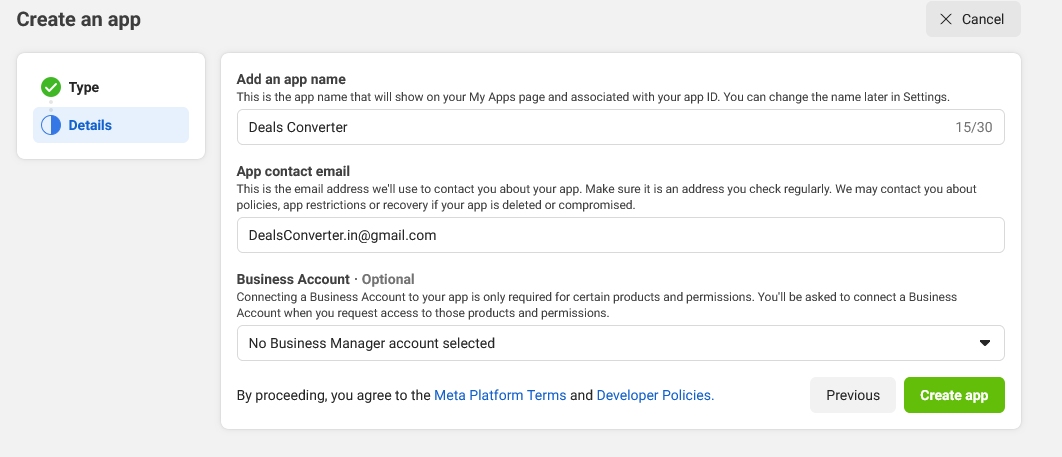
3. Now Choose Business and click on NEXT.
4. Enter your desired App Name Deals Converter, (you can use any APP Name) then click on Create App.
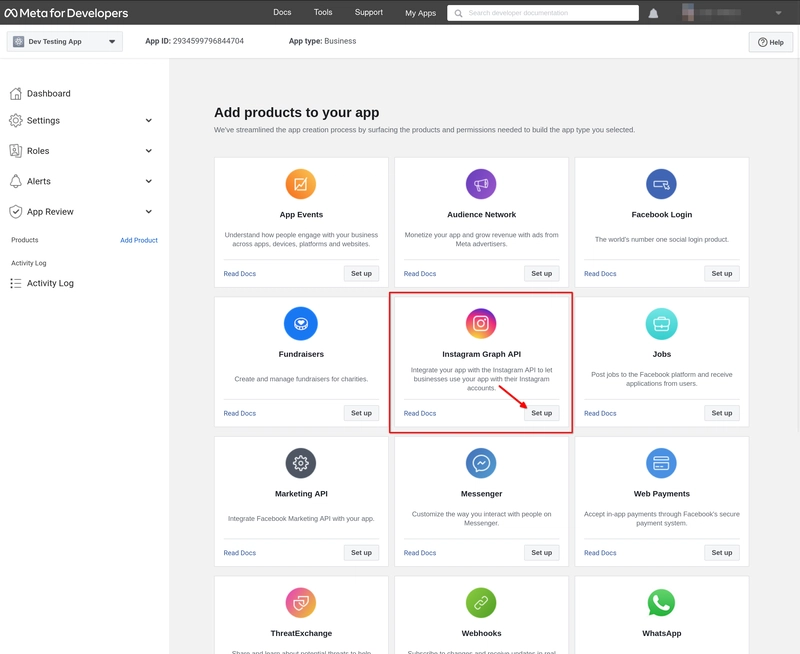
5. finally, you should see various products to add to your app. Find Instagram Graph API, click “Set up”, and that's it for now.
Step 4: Obtain Necessary Permissions and Access Tokens
Use the Graph API Explorer tool to generate a user access token:
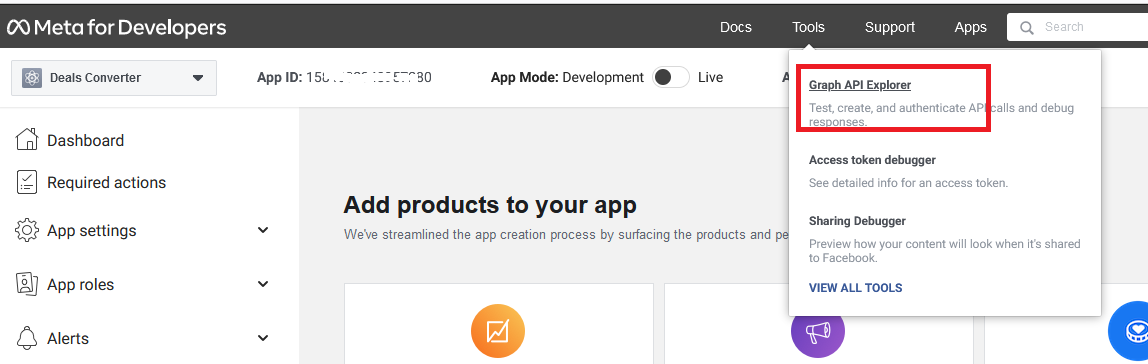
- Go to Graph API Explorer
- Select your app from the dropdown
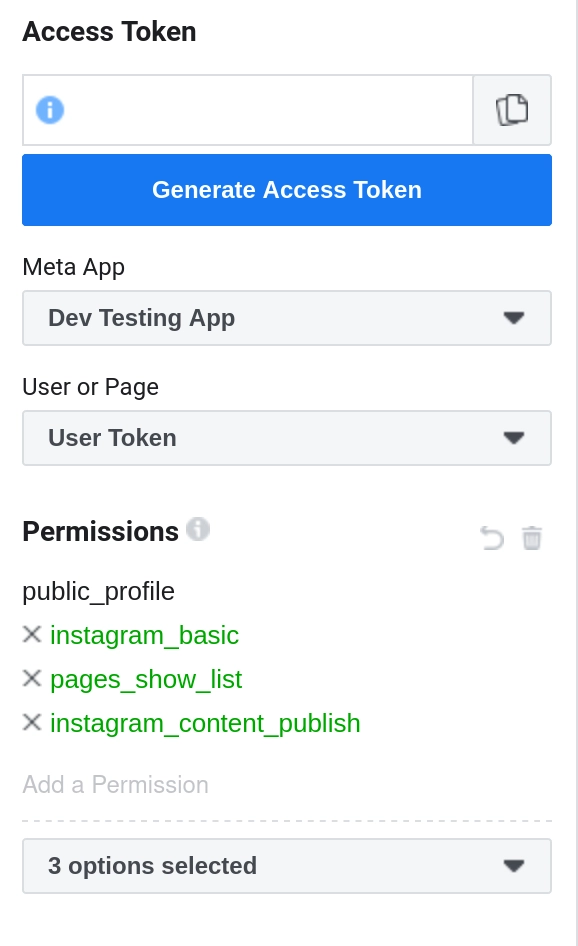
- Click “Get User Access Token”
- Select these permissions:
instagram_basic,pages_read_engagement,pages_show_list, andinstagram_content_publish
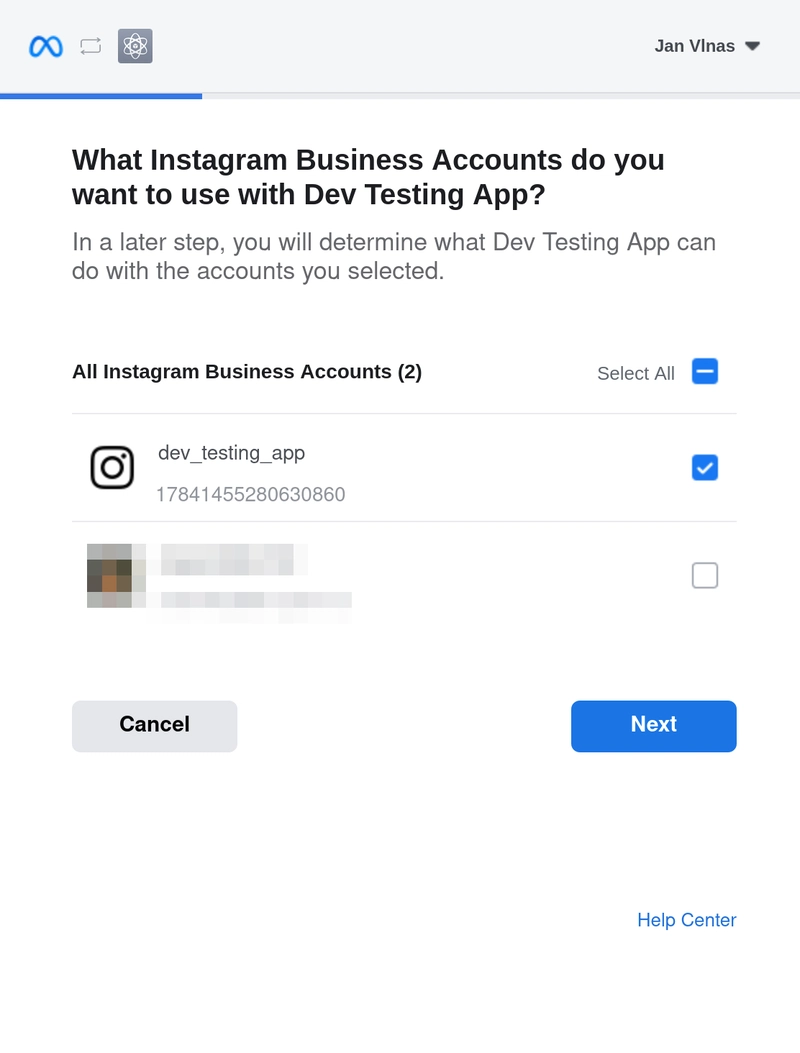
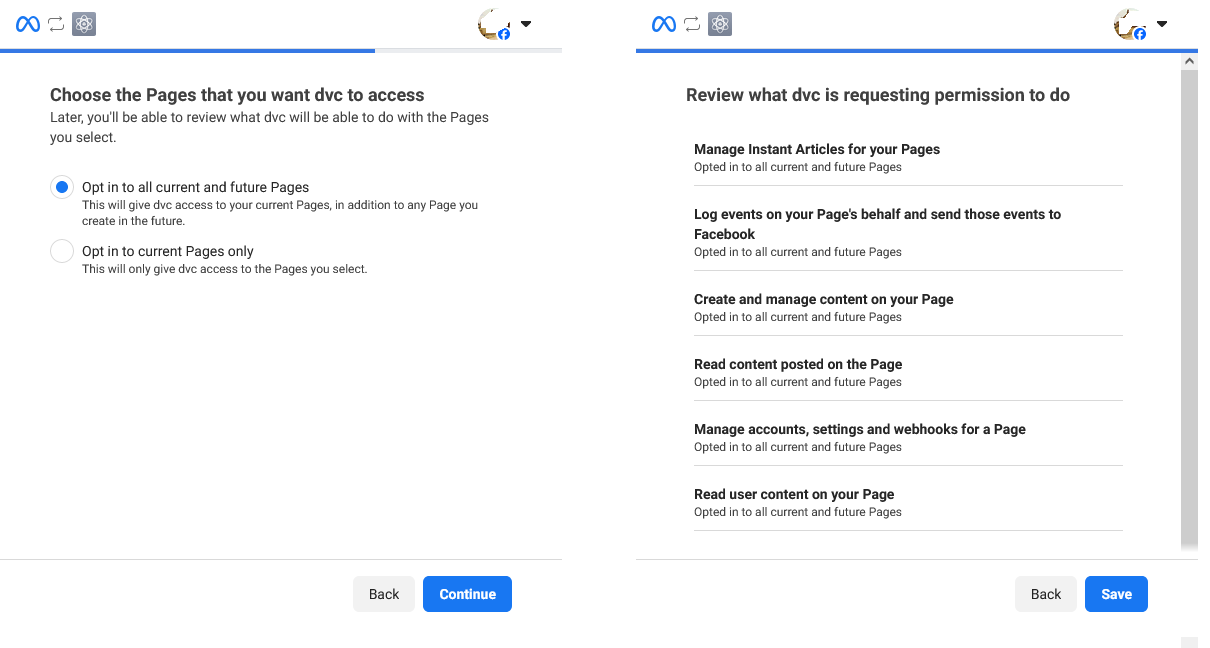
- Finally, click “Generate Access Token”. Facebook will display a pop-up with prompts to authorize access to your Instagram and Facebook pages. Make sure to select both your testing Instagram account and the associated Facebook page.
-
-
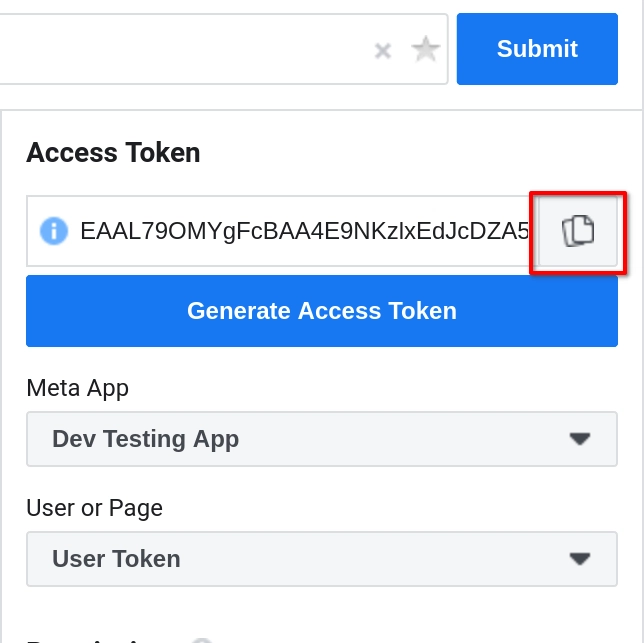
- Now you will be able to see token here in Access token field just COPY this token.
STEP 5: Generate long-lived time token
1. Now Go to Menu Tools --> Access Token Debugger
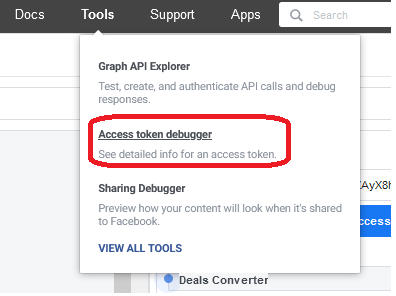
2. Now Paste your COPIED Token short time token and click on Debug button.

3. Now click Extend Access Token.
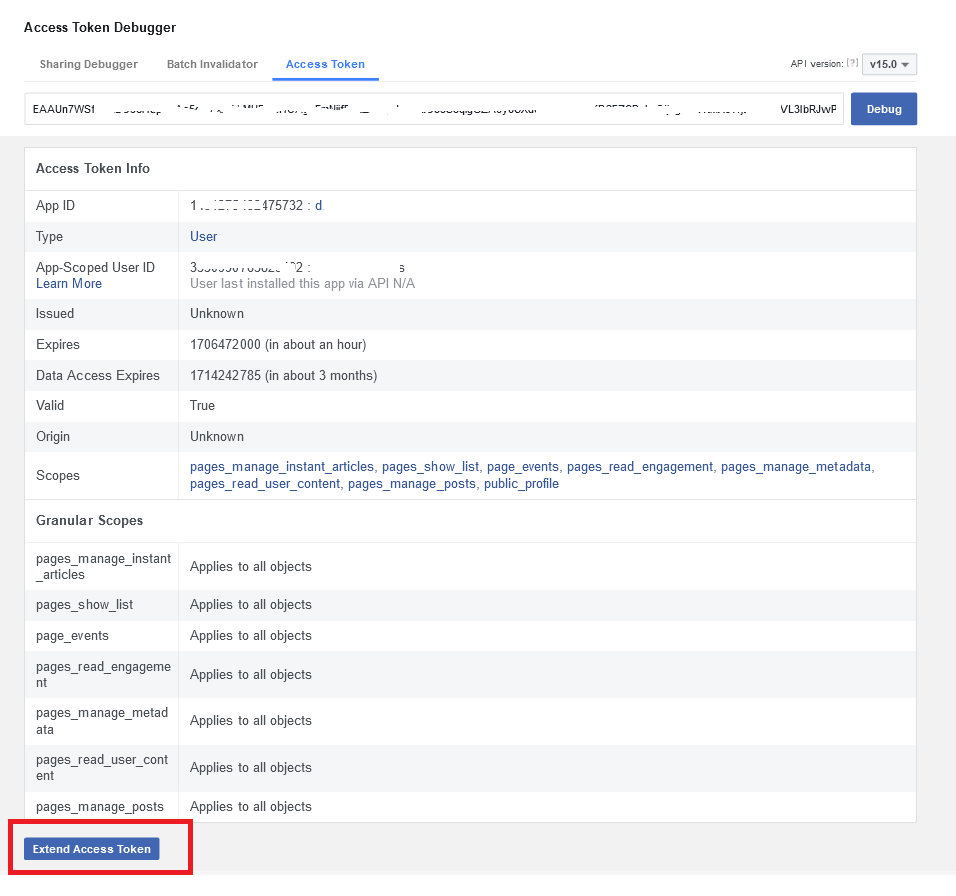
4. Now you will get your Long Lived token. Just copy token and saved it in your mobile.

Notice that this Access Token will expire after 60 days.
Renew Access Token after expiration
Instagram long-lived Access Tokens will expire after about two months (60 days). In order your app to remain functioning, you have to again repeat “ STEP-4 & 5 ”.
Keyword Focus Recap
amazon affiliate marketing autopilot
amazon affiliate program
amazon affiliate automation
amazon affiliate autoblog
amazon affiliate marketing
amazon affiliate autopilot
amazon affiliate marketing using Instagram
amazon affiliate using Instagram
📢 Want to simplify your affiliate workflow?
Sign-up on DealsConverter.in
Keyword Focus Recap
📢 Want to simplify your affiliate workflow?
Sign-up on DealsConverter.in