How to Post in Groups/Pages on Facebook using Graph API:
How to Post in Groups/Pages on Facebook using Graph API
In this guide, I will show you how to Get Facebook Graph API for posting to Facebook Groups/Pages.
This tutorial is very simple, actually its take only less than 1 minutes (but this article is long to read) lets start.
For Group: Get your Facebook group ID from your facebook group link for example: https://www.facebook.com/groups/744xxxxxxxx3859
so here 744xxxxxxxx3859 is the Group ID
For Page: Visit Facebook Page link for example: https://www.facebook.com/USERNAME, and Goto ABOUT section of your page and then click on Page Transparency , here you will get your PAGE ID
you will get PAGE ID something like this : 486xxxxxxxx42
STEP 1: Create a Facebook API App
The first step is to create an App in the Facebook Developers Console and get an Access Token.
1. First of all go to https://developers.facebook.com/ and sign in with your account.
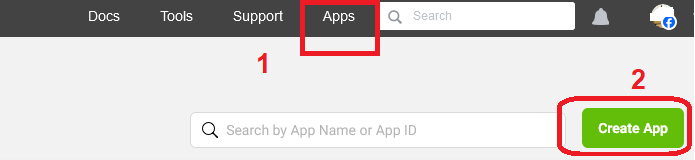
2. After login click on My Apps and click on Create APP
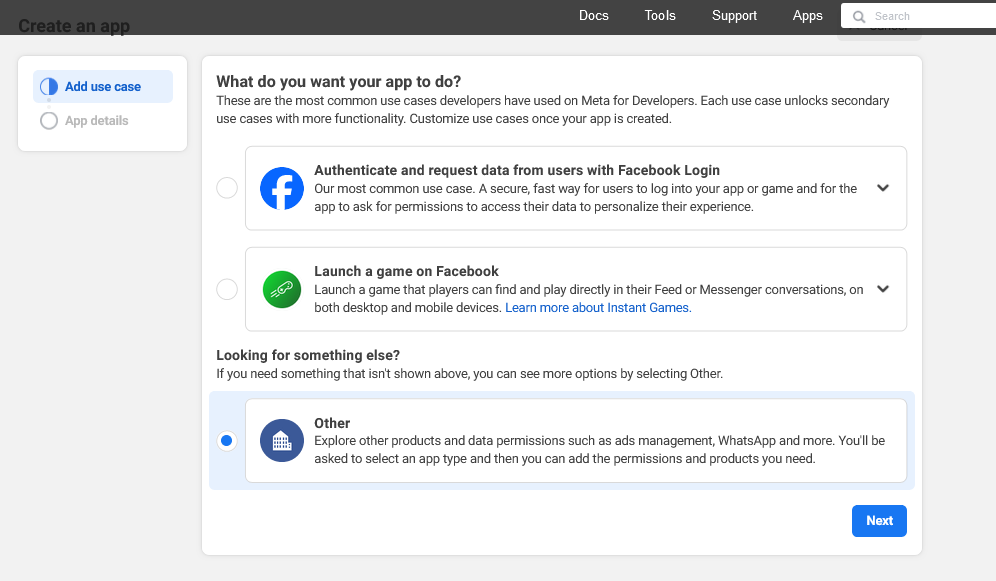
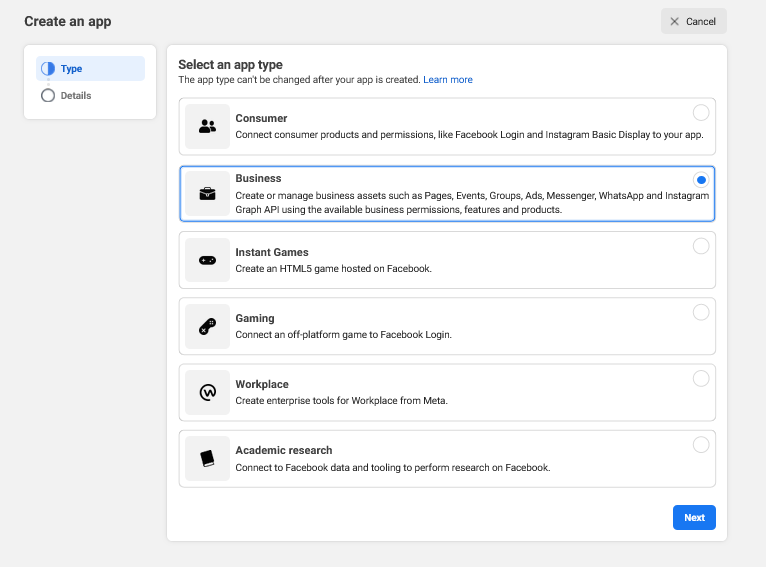
3. Now Choose Business and click on NEXT.
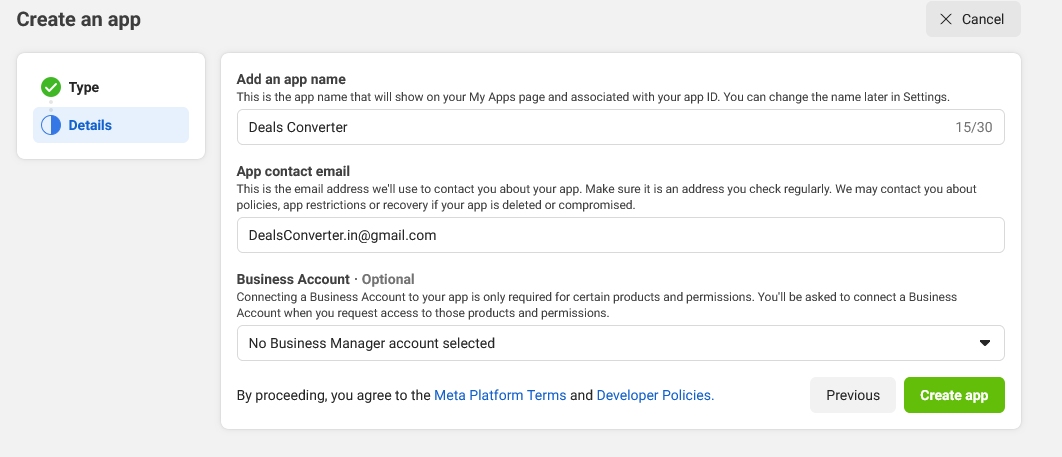
4. Enter your desired App Name Deals Converter, (you can use any APP Name) then click on Create App.
STEP 2: Generate short-lived time token
1. Now Go to Menu Tools ---> click on Graph API Explorer
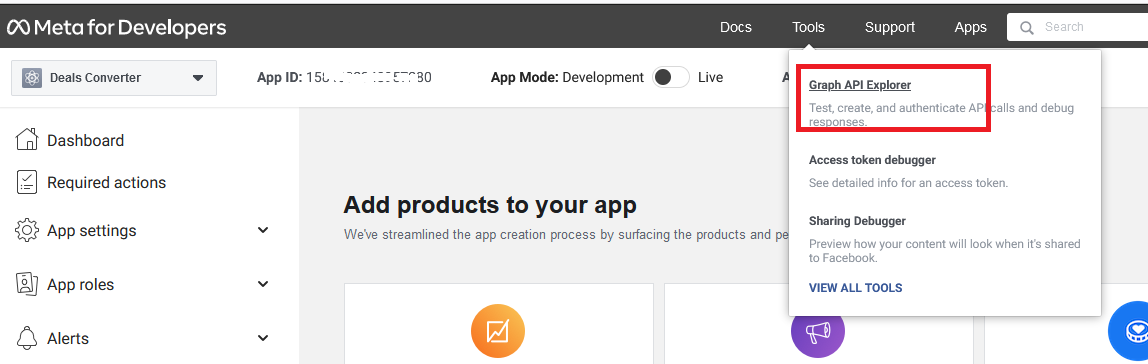
2. Now you need to choose your Created app, just as I am selecting Deals converter in the app
Note: if possible choose version 16 for group posting
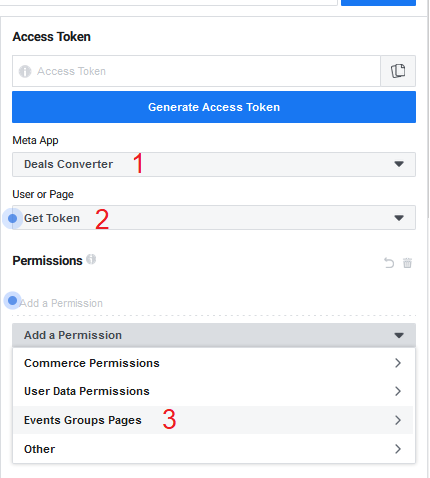
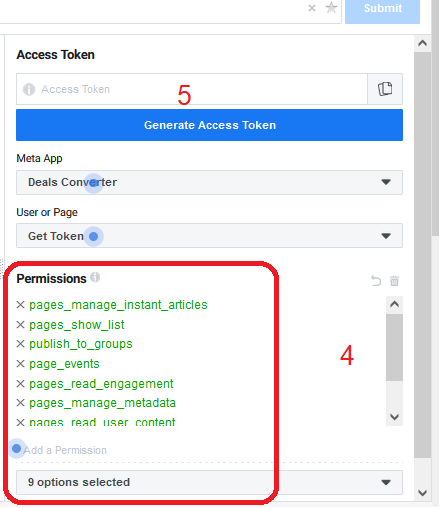
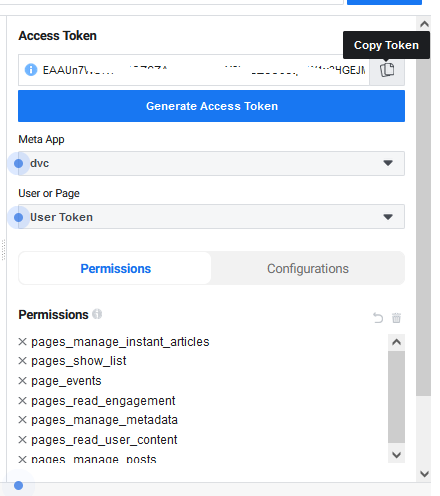
Now choose these below option and make a admin permission
- pages_manage_instant_articles
- pages_show_list
- publish_to_groups
- page_events
- pages_read_engagement
- pages_manage_metadata
- pages_read_user_content
- pages_manage_posts
- groups_show_list
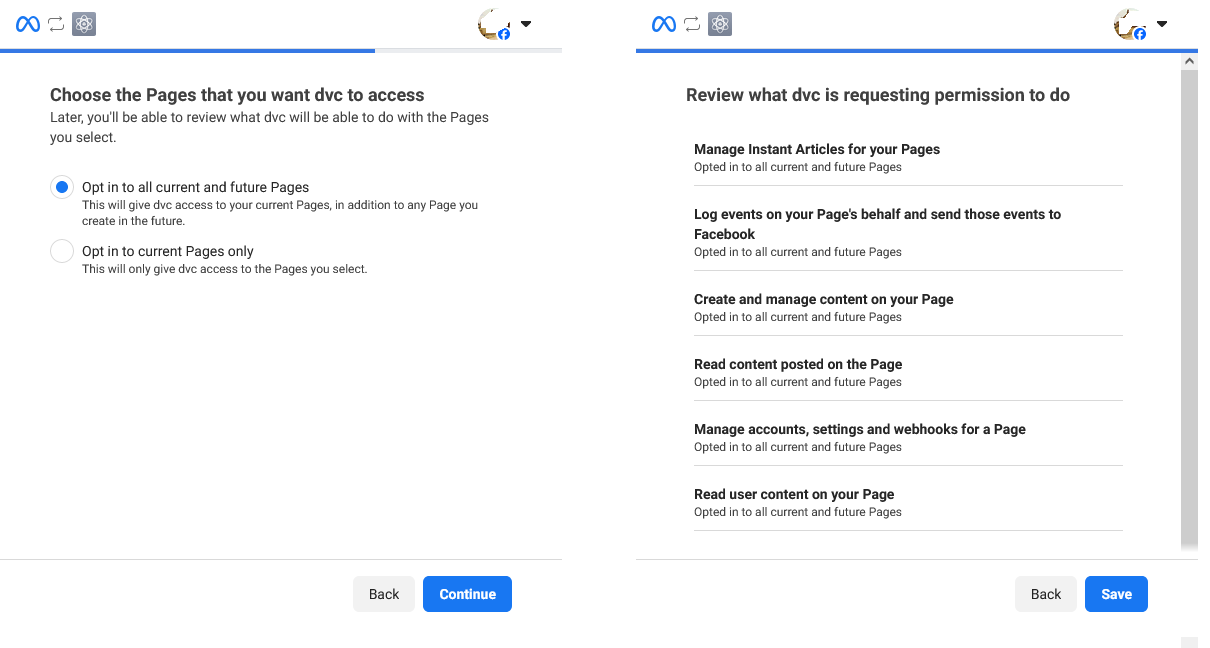
3. Now CLICK on Generate Access Token Button & you will see new authorization window , Just Authorize your Created app so press Continue as your name
4. Now you will be able to see token here in Access token field just COPY this token.
STEP 3: Generate long-lived time token
1. Now Go to Menu Tools --> Access Token Debugger
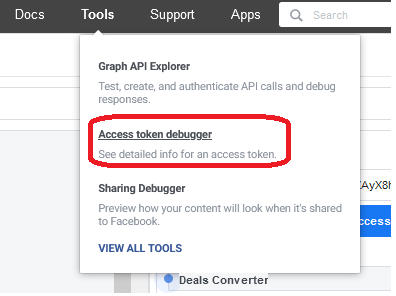
2. Now Paste your COPIED Token short time token and click on Debug button.

3. Now click Extend Access Token.
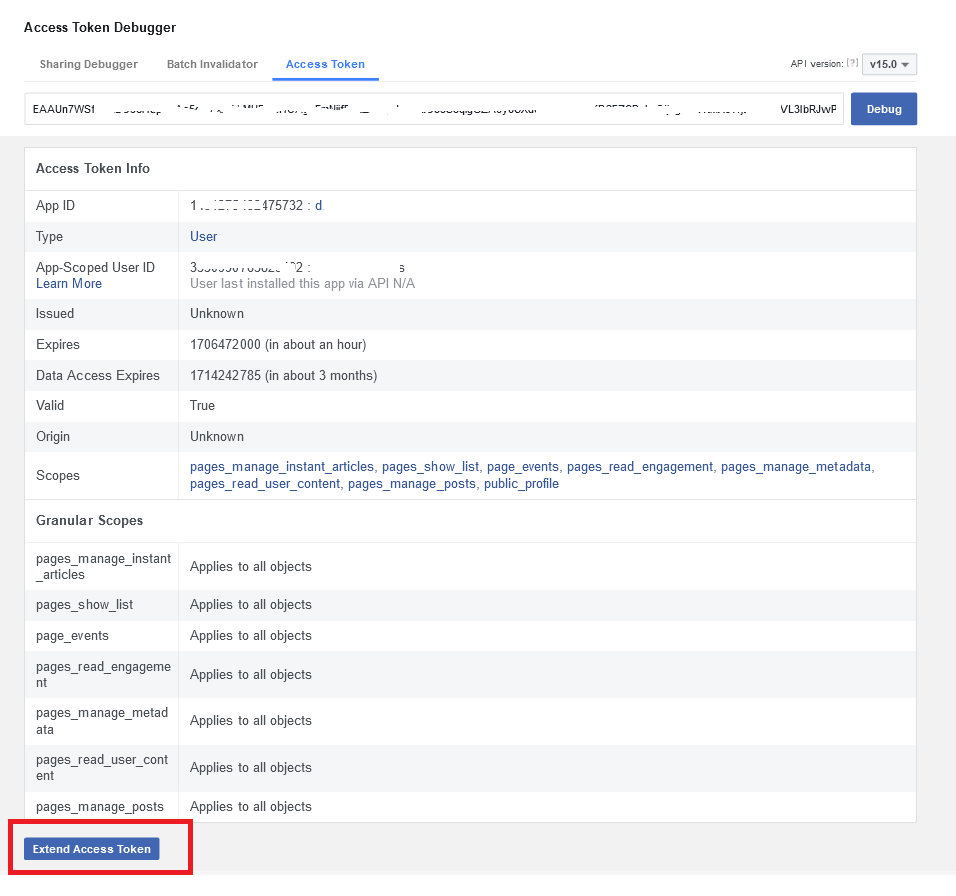
4. Now you will get your Long Lived token. Just copy token and saved it in your mobile.

Notice that this Access Token will expire after 60 days.
STEP 4: Enter Your Token and Page/Group ID
1. Now Go to DealsConverter.in website Under Facebook Accounts and Fill Your Page/Group ID & LONG-Lived Token in (ACCESS TOKEN)
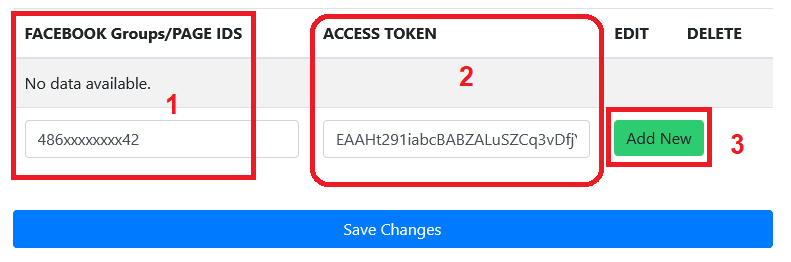
2. Now on ADD New button to save these data.
3. Now do /Logout in Telegram our BOT (in which you are using)and now do /login so that this Facebook Page/groups lists are added in telegram bot..