How to start amazon affiliate marketing using blogger
Updated on 21 October 2025 · DealsConverter Editorial Team
A Complete Guide for Amazon Affiliate Marketing using blogger
Blogger, Google’s popular blogging platform, offers a powerful Blogger API that allows developers to programmatically manage blogs, posts, pages, comments, and more. This API can be extremely useful for automating content posting, integrating with other tools, or building custom blogging solutions. In this article, we will explore the Blogger API in detail, covering setup, authentication, and Autoposting deals using dealsconverter.in
Step 1: Setting Up a Blogger account:
1. Goto Blogger.com and signup.
2. click on Create Blog.
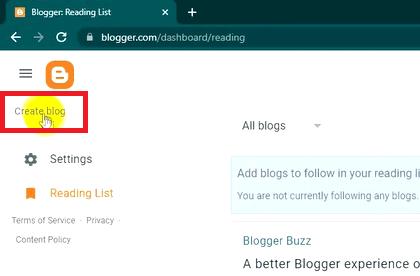
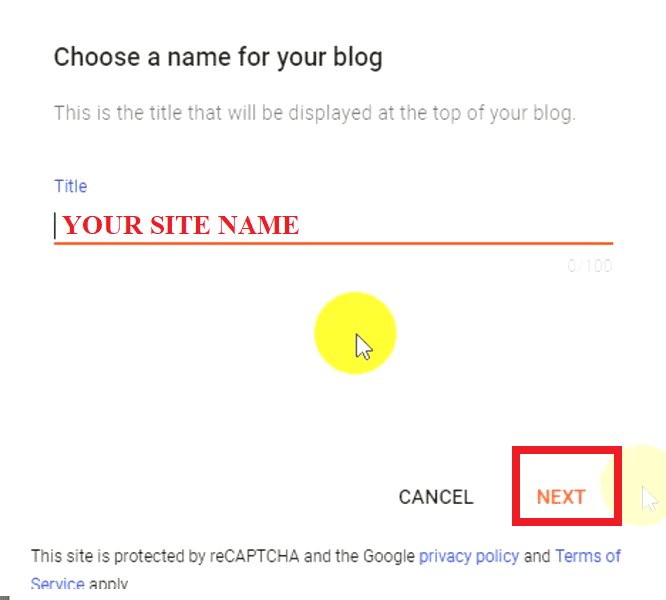
3. Give your Site Title.
4. Give your Site Address (Link)
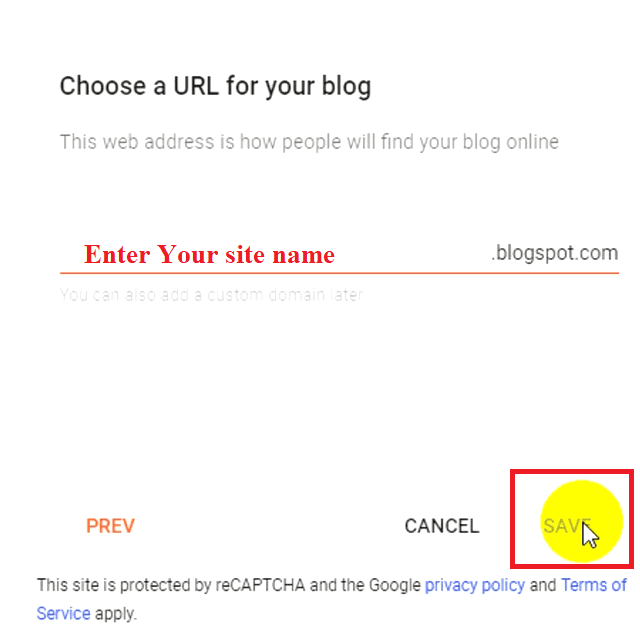
5. Click on save it. NOW you have successfully created Blog.
Step 2: Setting Up a Google Cloud Project:
Before using the API, you need to set up a project in Google Cloud Console:
Note: Use the same google account which you have used to create an blogger account.
- Go to Google Cloud Console.
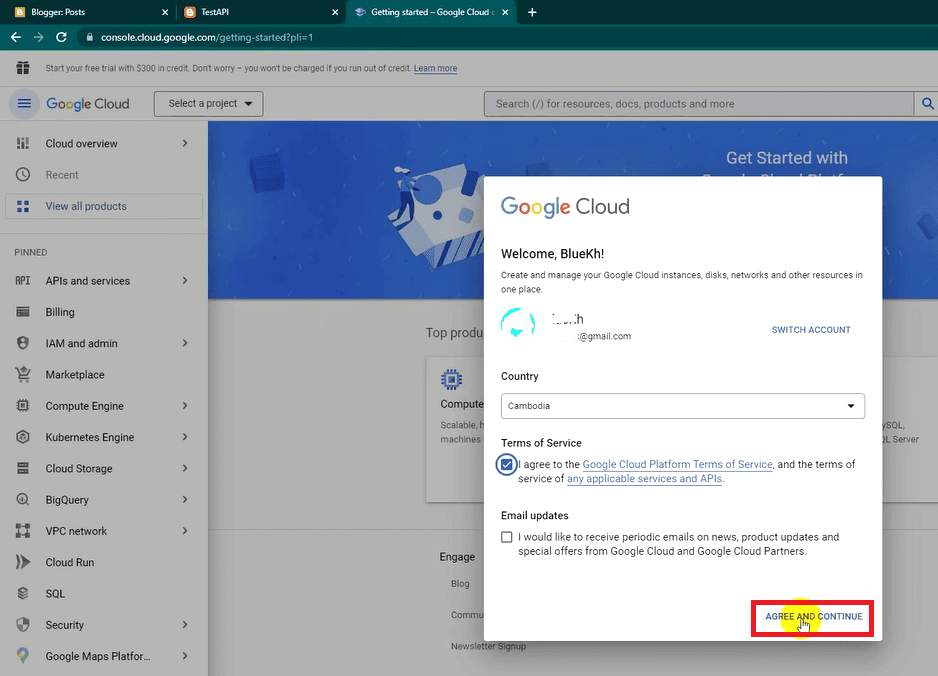
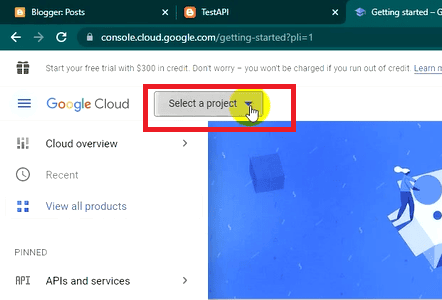
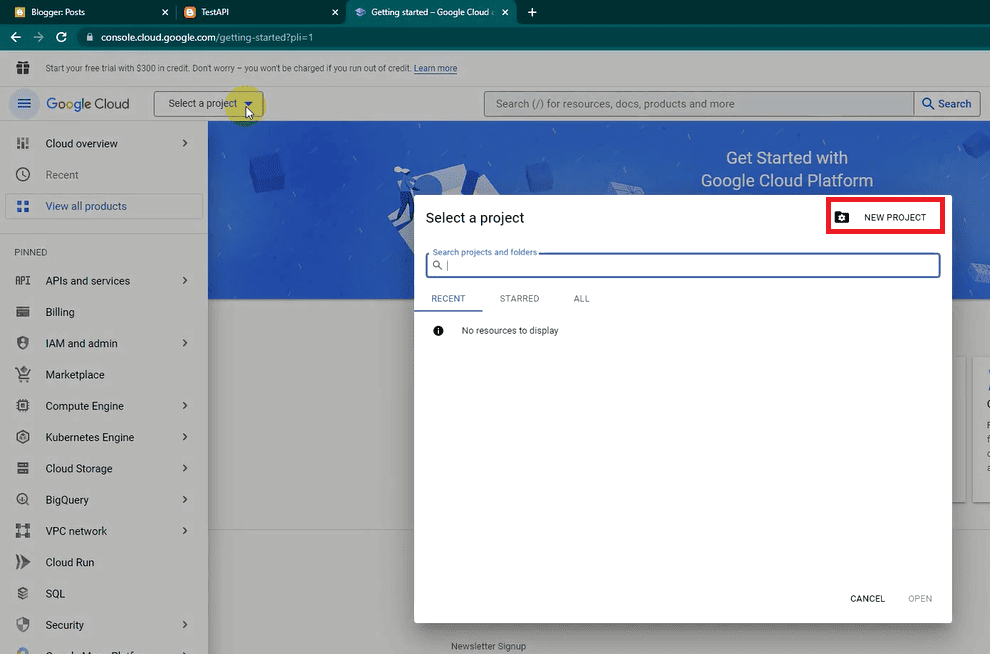
- Click Create Project and enter a project name.
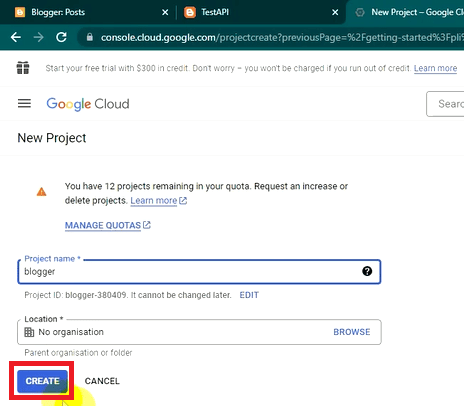
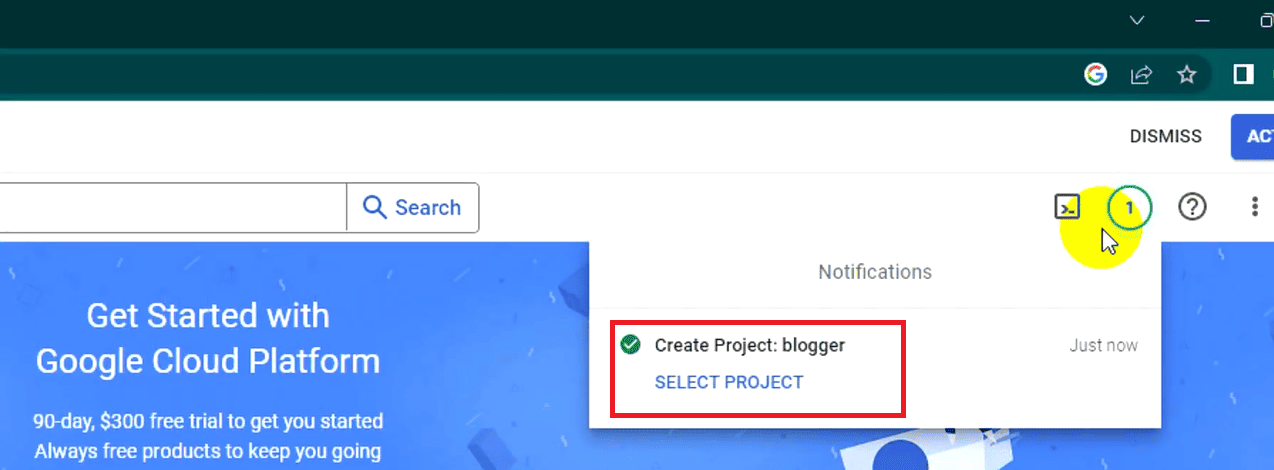
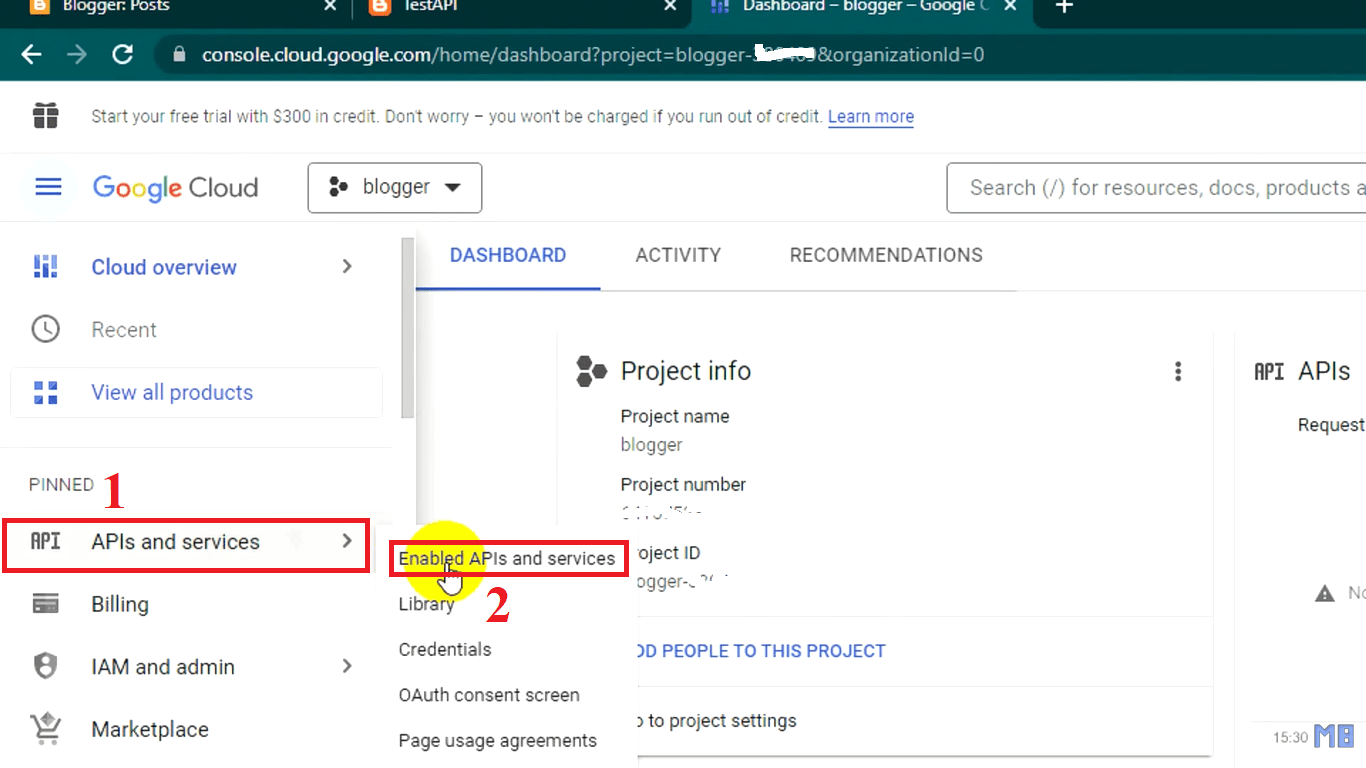
- Once the project is created, navigate to APIs & Services → Library.
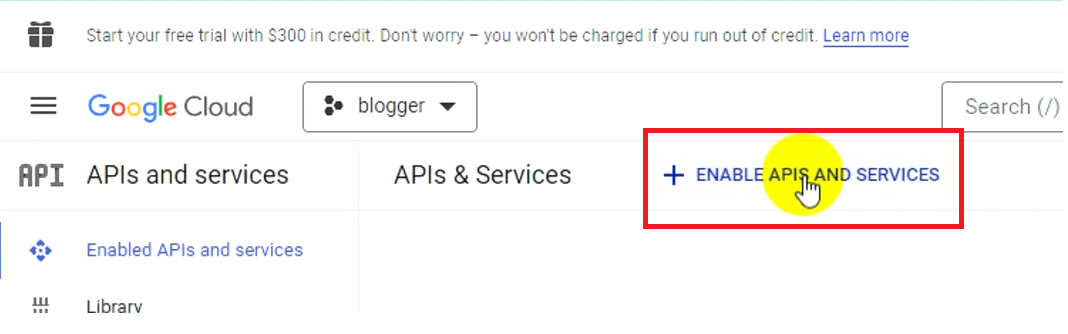
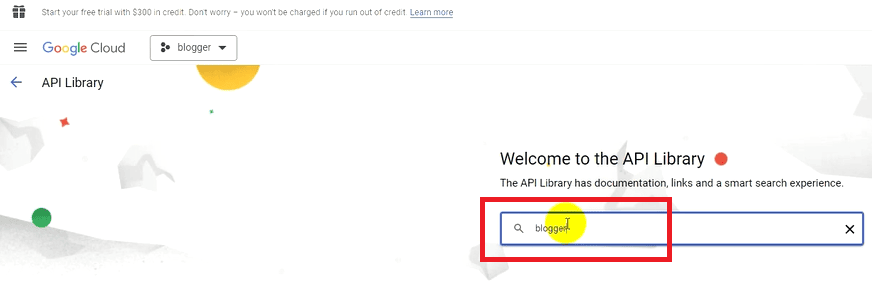
- Search for Blogger API and Enable it.
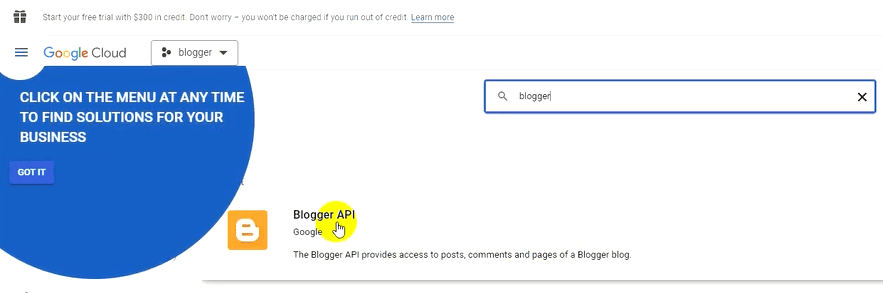
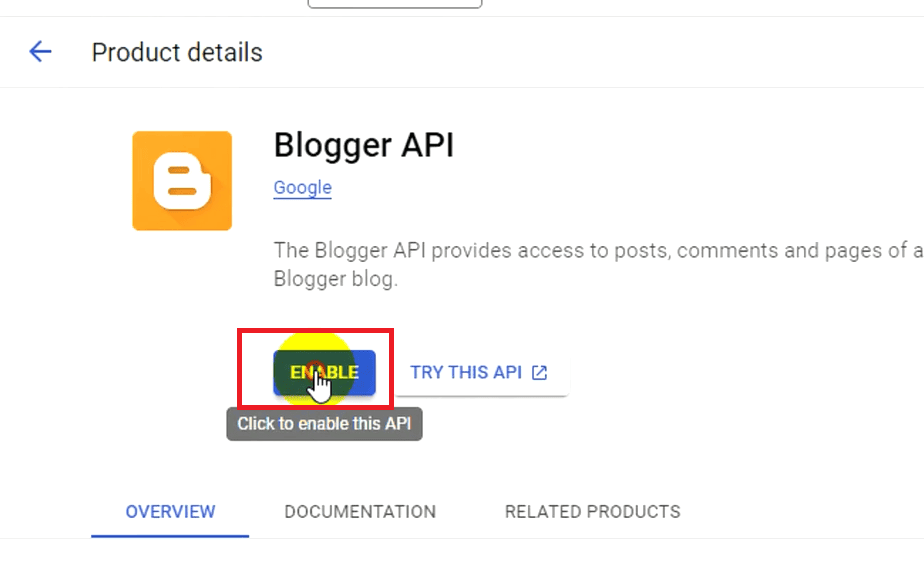
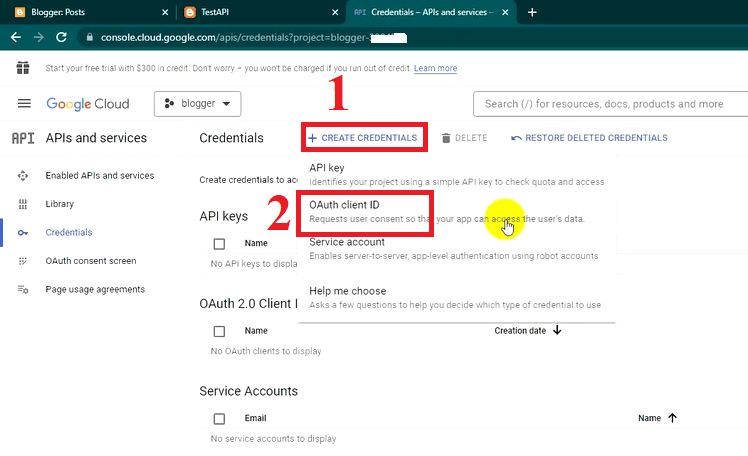
- Navigate to APIs & Services → Credentials.
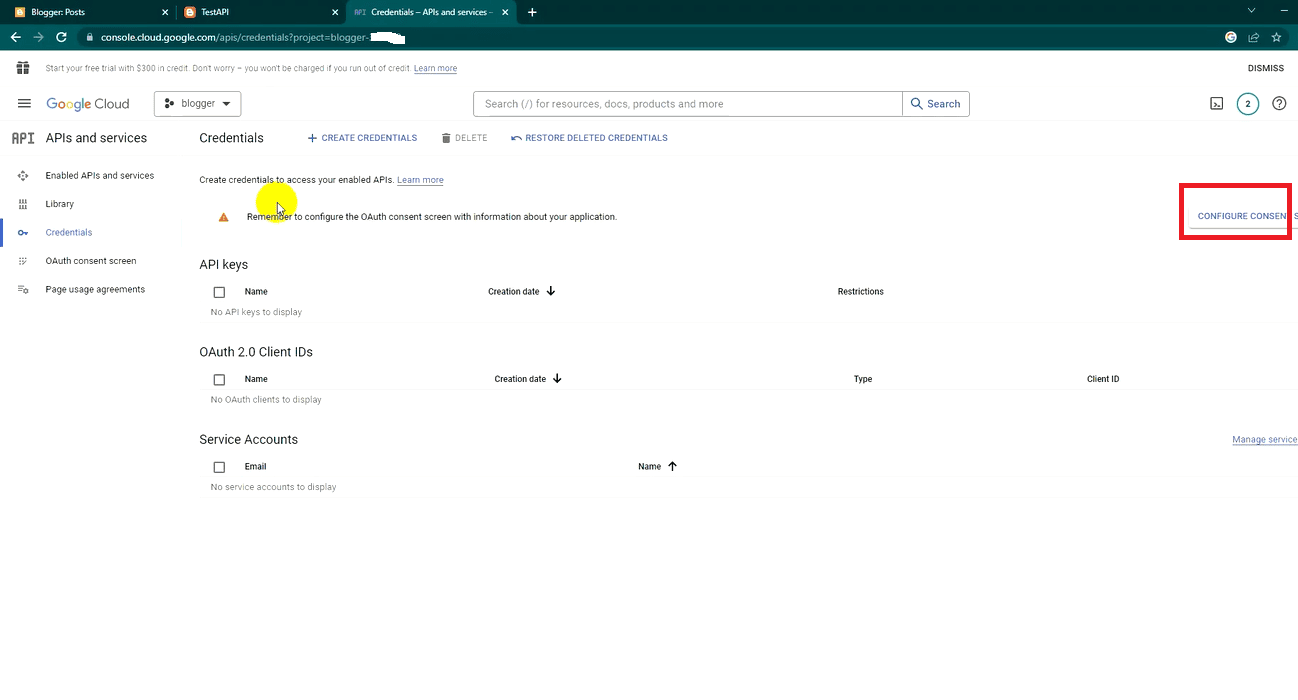
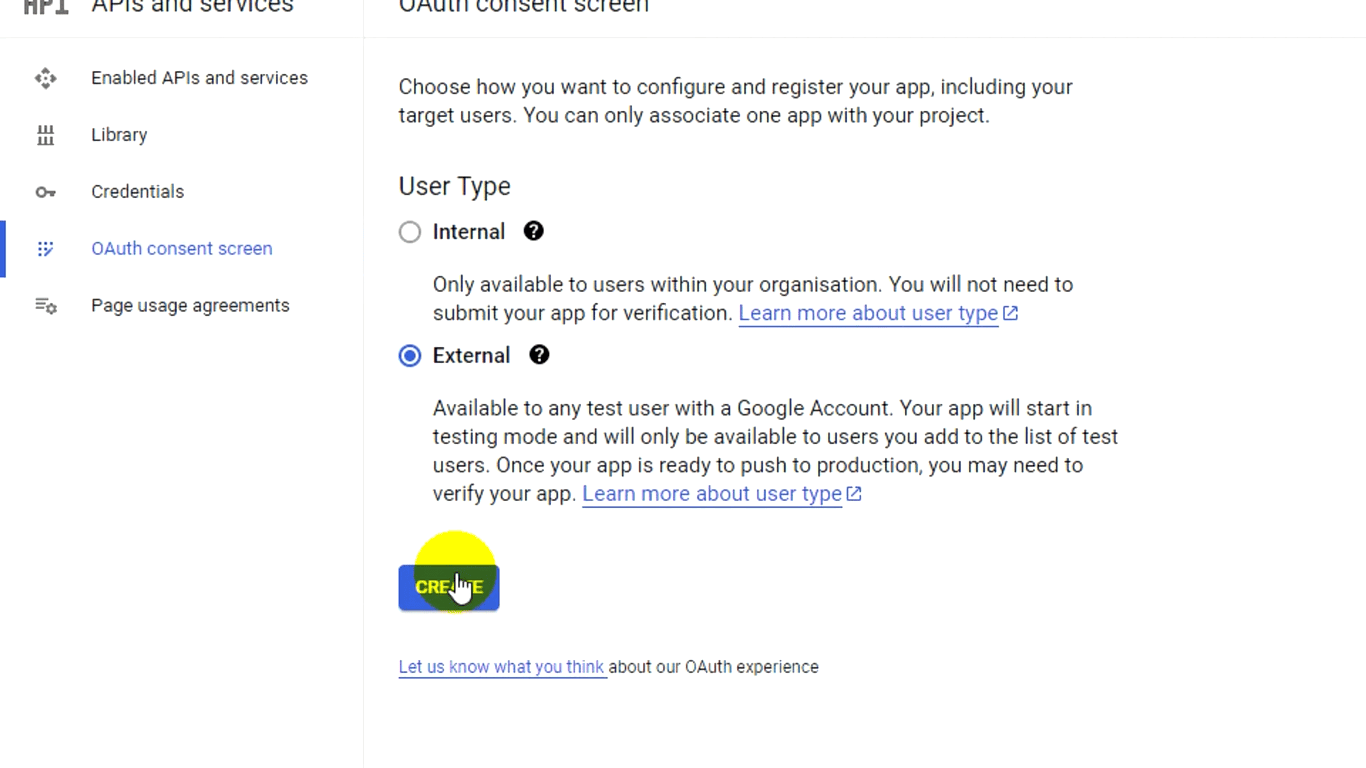
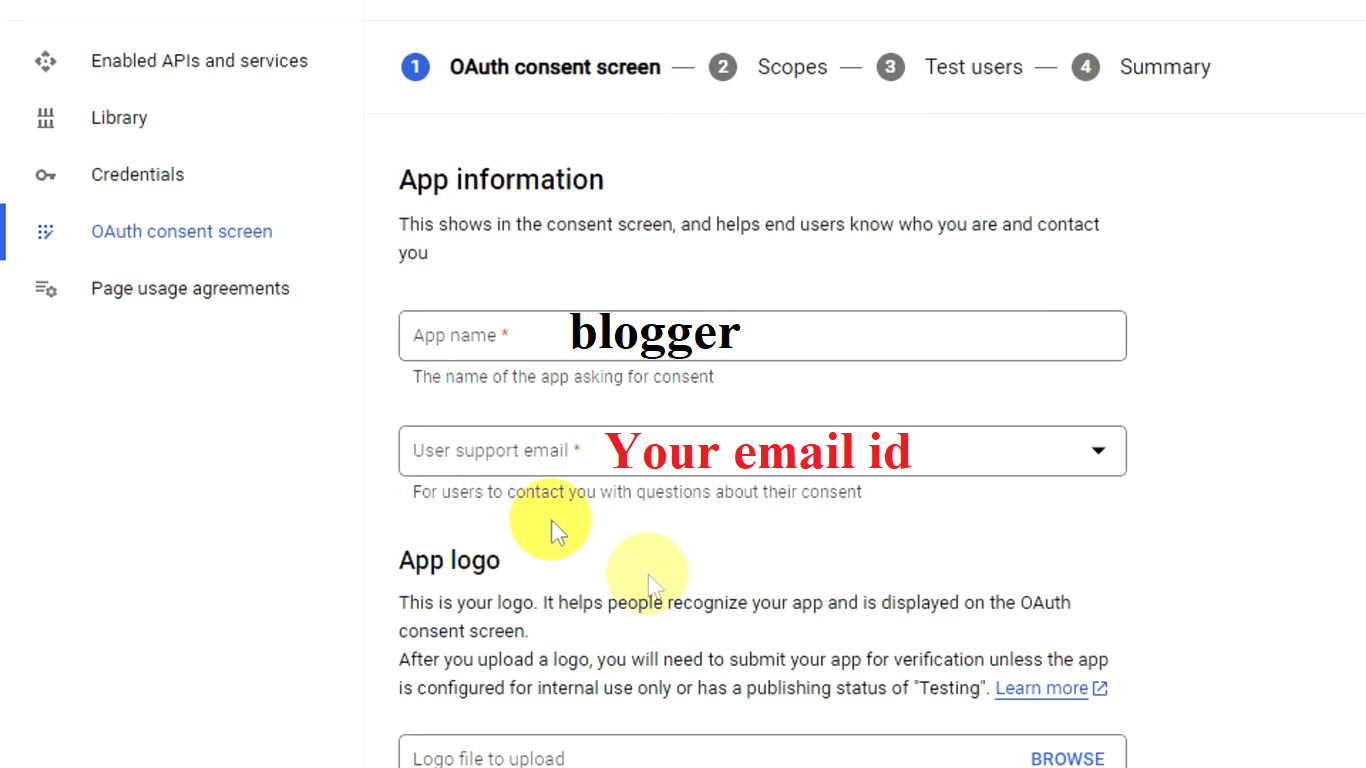
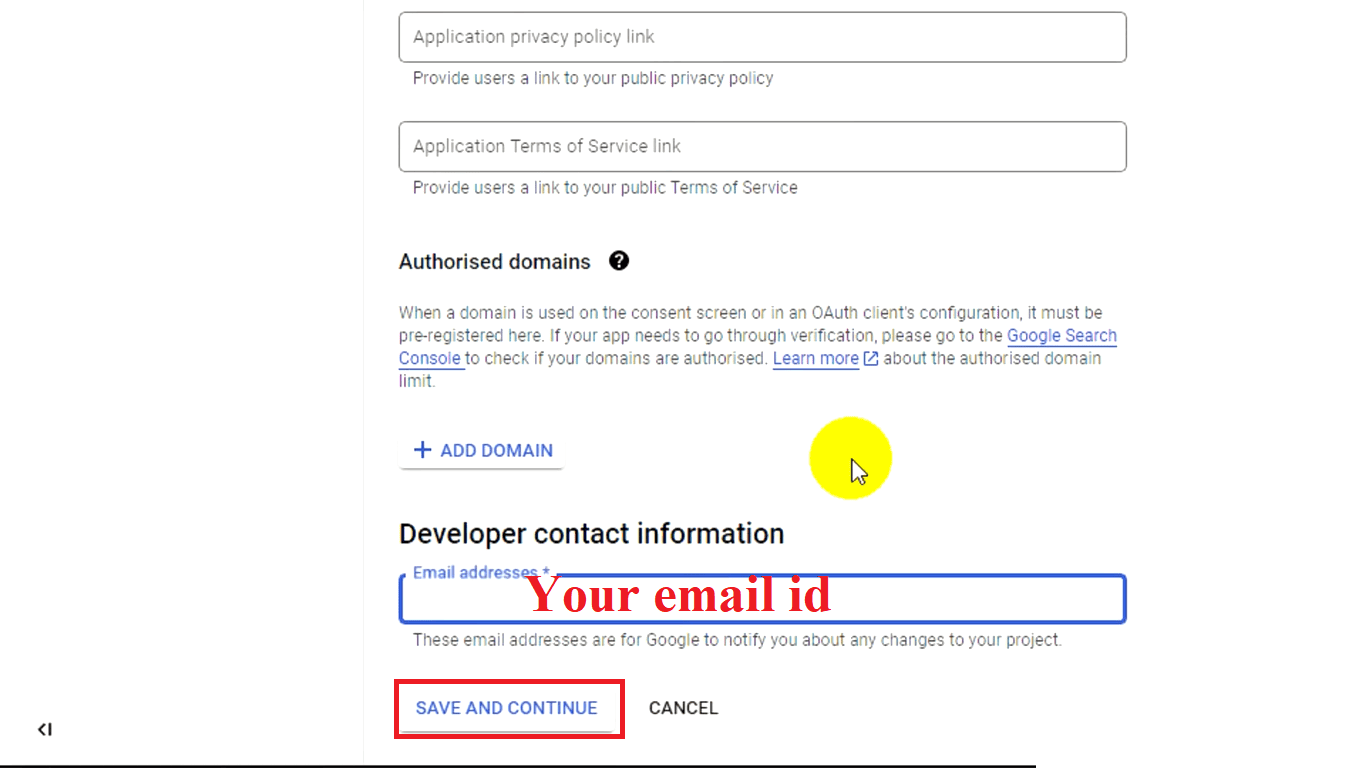
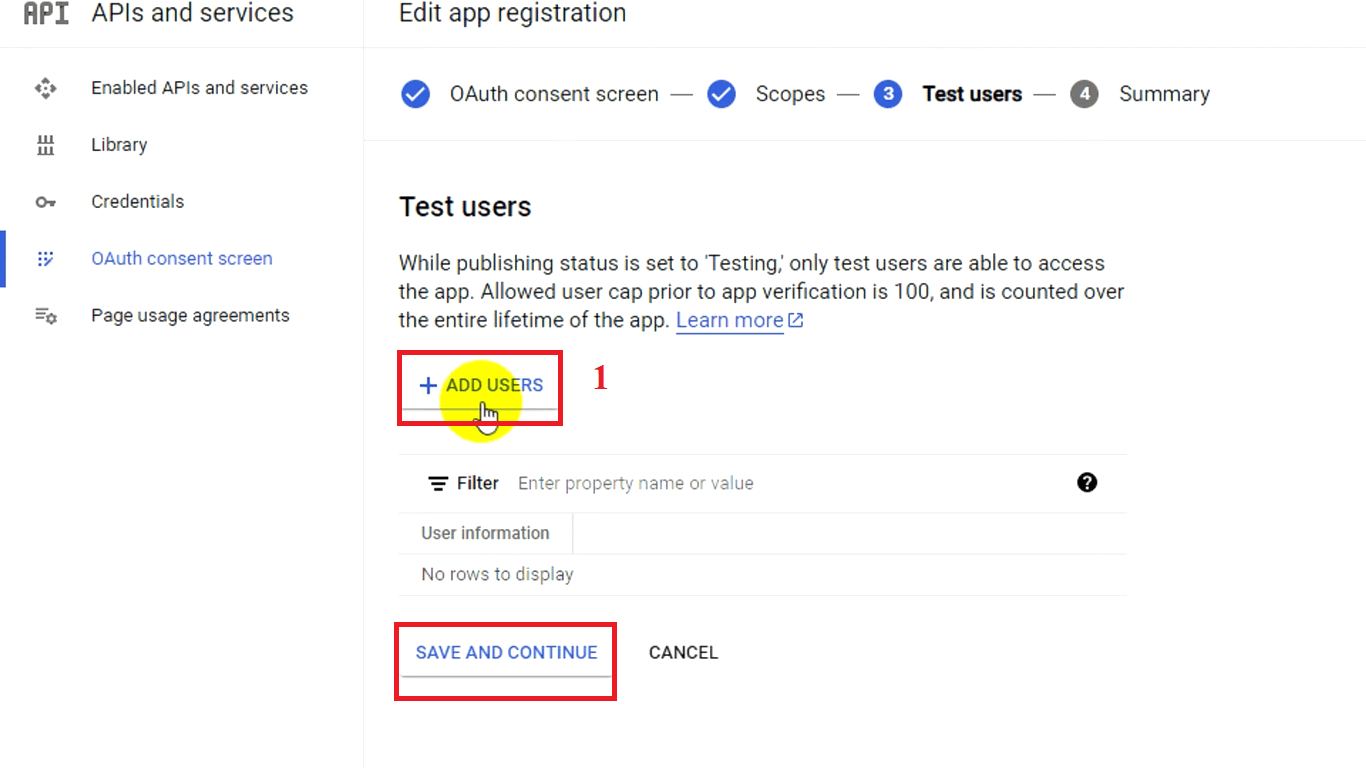
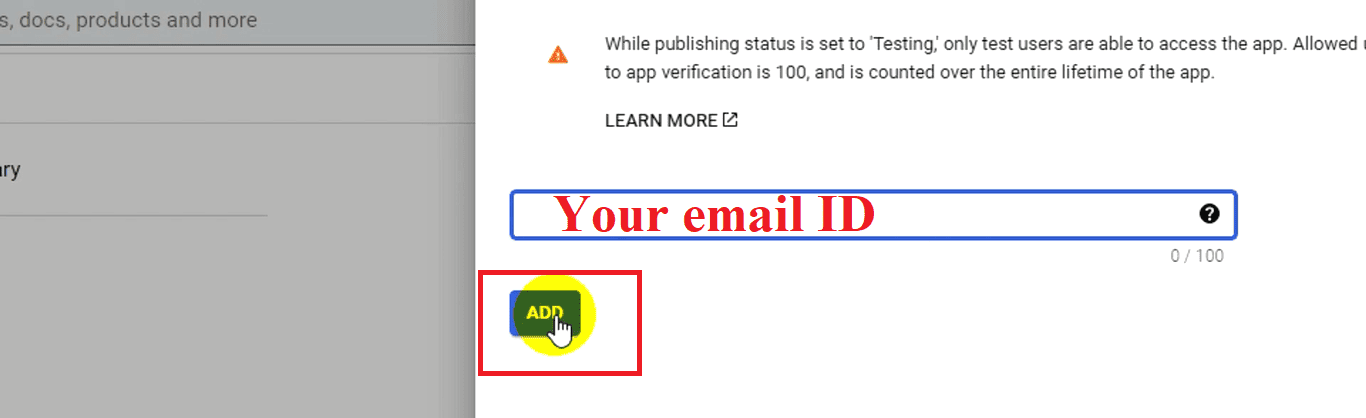
- Click Create Credentials → OAuth Client ID.
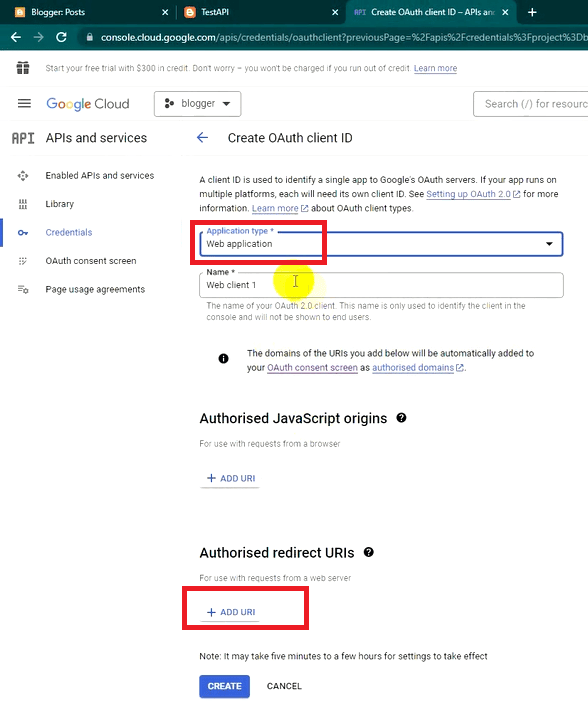
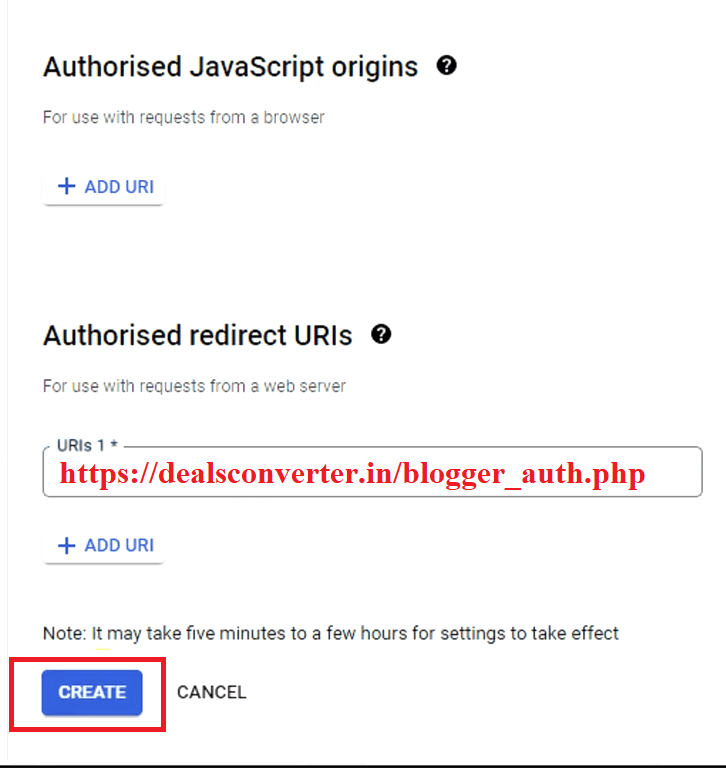
https://dealsconverter.in/blogger_auth.php - Configure the consent screen and set application type as Web application.
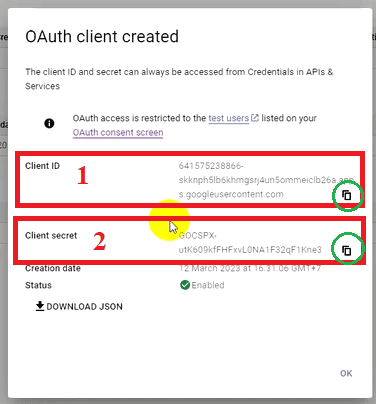
- Copy the Client ID and Client Secret. You will need these for authentication.
Step 3: Setting Up a Dealsconverter Blogger account:
1. Goto Dealsconverter Blogger settings.
2. enter your blogger link
3. Enter your Blog ID: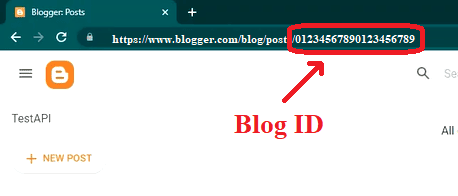
4. Now enter your Client ID & Client Secret code.
5. Choose your Posting Source:
a. PA-API
b. ScrapingDog
- If you have a new Amazon Affiliate account you may not have PA-API keys. so due to this reason we have implemented ScrapingDog API as an alternative option.
- Currently i choose ScrapingDog API, Because i Dont want to use amazon api keys (I have official amazon api keys but i dont use it due to API limitations, more details on limitations click here.)
6. Click on Update button to save all your credentials.
7. Now Click on START Blogger Authorization Process https://dealsconverter.in/blogger_auth.php
8. Now choose that Google account which you have used on Google Cloud Console where you have enabled Blogger API.
9. Login to Google account and authorize it so that Dealsconverter can now post on your Blogger.
Frequently Asked Questions
Q: Do I need a Blogger account to use the Blogger API?
Yes — the Blogger API acts on your blog, so you must have a Blogger blog and the Google account that owns it.
Q: Can I autopost to Blogger without PA-API keys?
Yes — DealsConverter supports ScrapingDog as an alternative to PA-API keys. However, PA-API is the official Amazon option for product data.
Q: Where do I get the Blog ID?
You can find the Blog ID in the Blogger dashboard or via the Blogger settings page. DealsConverter's Blogger settings page also asks for the Blog ID when connecting a blog.
amazon affiliate marketing autopilot, amazon affiliate automation, amazon affiliate autoblog, amazon affiliate autopilot,Keyword Focus Recap
📢 Want to simplify your affiliate workflow?
Sign-up on DealsConverter.in